35B MoE Memory Planning: What 3B Active Does Not Tell You
HARDWARE & DESIGN
35B MoE Memory Planning: What 3B Active Does Not Tell You
Updated October 3, 2026 · Author calculations and a planning guide · No hardware benchmark
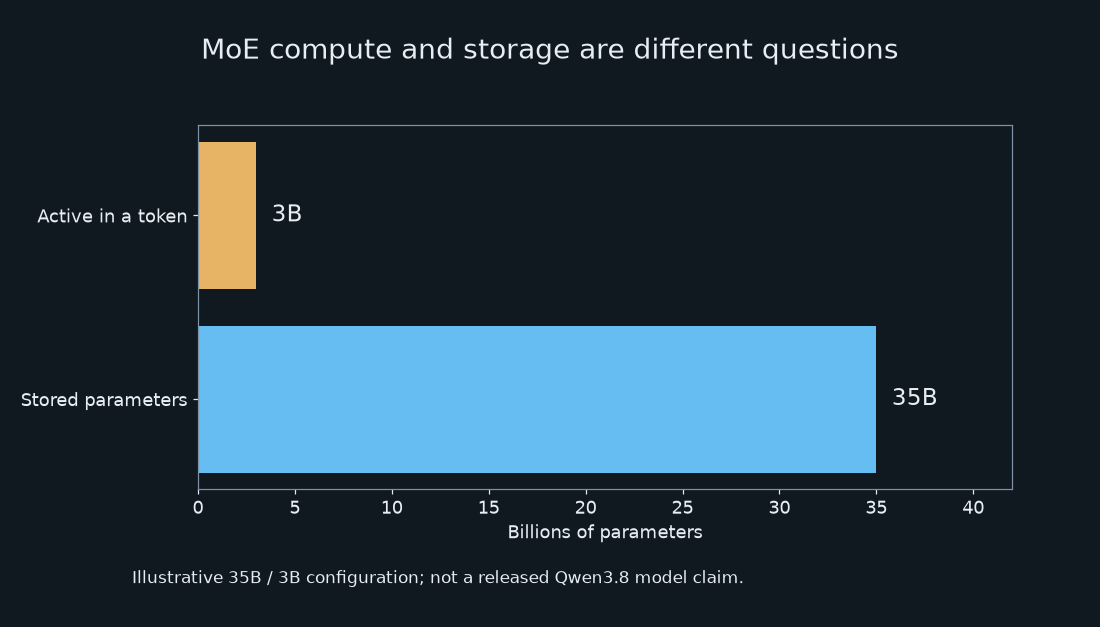
Three billion active parameters do not turn a 35B MoE into a 3B download. The inactive experts still need storage, and the application needs memory beyond the weights. Work through that budget before using an active-parameter label to select a 24GB computer.
In this article
Before choosing a computer, write down the model files, runtime and context length you intend to use. Then include the applications that will stay open beside it. Those details turn a parameter count into a memory budget.
Calculate the raw weights before estimating a machine
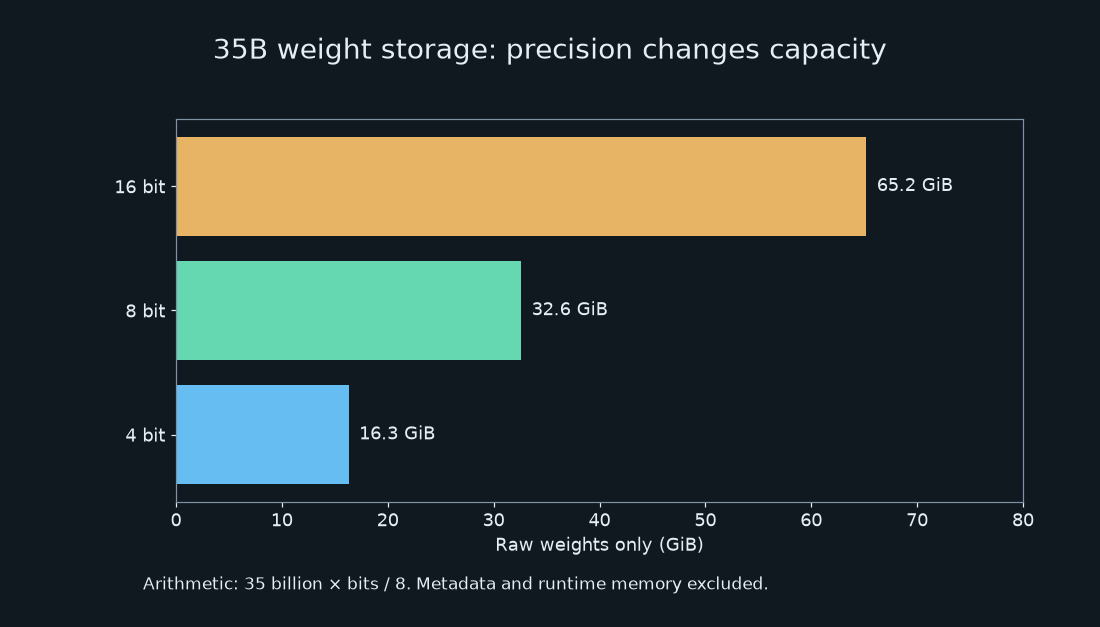
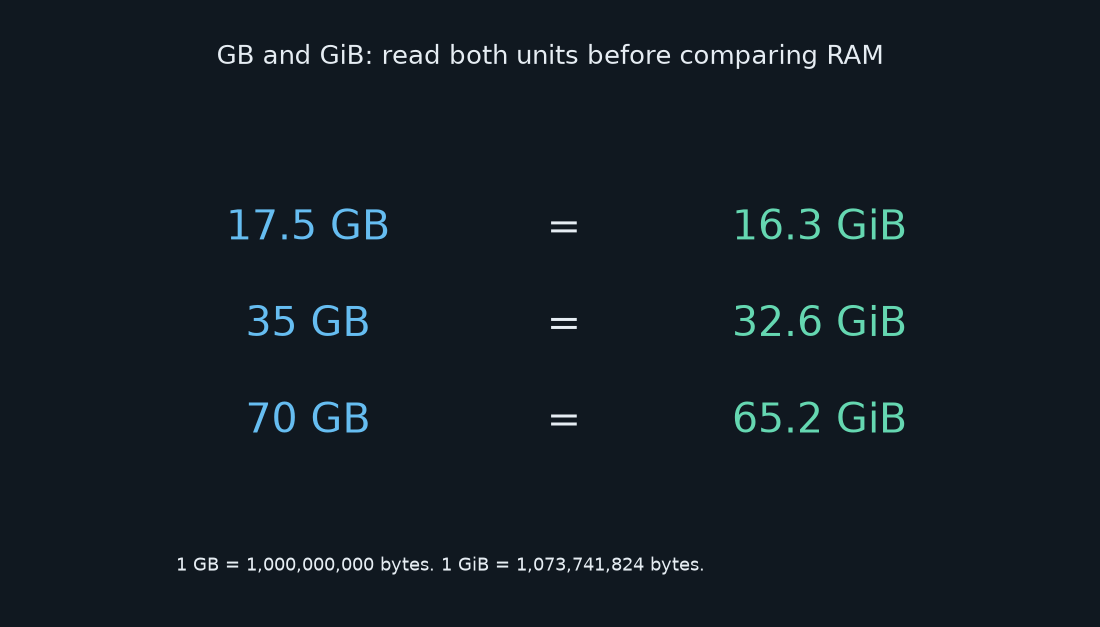
Start with parameters × bits per parameter ÷ 8. For 35 billion parameters, a hypothetical uniform 4-bit representation occupies 17.5 billion bytes; 8-bit occupies 35 billion bytes; 16-bit occupies 70 billion bytes. These are approximately 16.3, 32.6 and 65.2 GiB.
This is a lower-level storage calculation, not a promise that a file named Q4 will be exactly 17.5 GB. Real quantizations may keep some tensors at higher precision and store scales, metadata and other components. Read the sum of the actual files in the selected revision. Include any separately required multimodal components when planning a vision workload.
Do not mix GB and GiB
A decimal gigabyte is 1,000,000,000 bytes. A gibibyte is 1,073,741,824 bytes. Dividing a byte count by the second number produces the GiB values here. The difference is about seven percent at this scale, enough to confuse a tight memory comparison.
Convert both your weight estimate and your usable memory to the same unit before subtracting them. A device sold with “24 GB” is not automatically the hypothetical 24 GiB budget used in the next example. Check the operating system’s reported byte count and available memory. Also distinguish disk capacity, physical memory, dedicated VRAM and unified memory; those labels describe different resources.
Why a 24 GiB budget can still be too tight
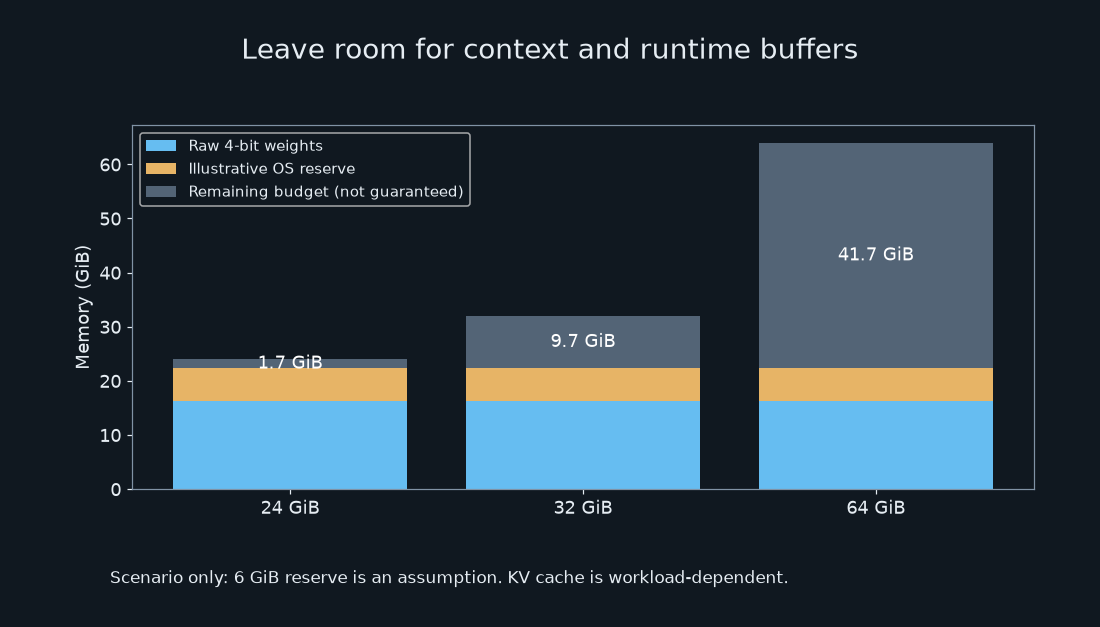
Consider a deliberately simplified device with 24 GiB of physical memory. Reserve 6 GiB for the operating system and other applications as a planning assumption. Subtract the raw 4-bit weights: 24 − 6 − 16.3 = 1.7 GiB. That small remainder must cover everything omitted from the raw calculation.
The same example leaves 9.7 GiB in a 32 GiB budget and 41.7 GiB in a 64 GiB budget. These are illustrative remainders, not measured free-memory readings. The 6 GiB reserve is not a universal requirement: a clean machine and one running a browser, editor and background services can differ substantially.
Runtime buffers, cached context, activations and additional model components still need space. Longer conversations and concurrent requests can change the requirement. Do not reuse a KV-cache estimate from another architecture; hybrid attention, cache precision and implementation choices matter. I am intentionally not assigning a fixed “32K context costs X GB” figure without the exact architecture and runtime configuration.
Fit and speed need separate evidence
A model may load successfully yet respond too slowly for your work. Prompt processing and output generation are different phases; an advertised active parameter count is not a measured tokens-per-second result. Storage offloading and memory pressure can also change the experience.
Before paying for an upgrade, define a small acceptance task: your usual document length, one representative prompt, the desired output length and the maximum wait you can tolerate. Record the exact model revision, quantization, runtime version, context setting, hardware and peak memory. Repeat that same task when comparing machines. This guide has not run that test, so it provides no measured Mac mini or Mac Studio throughput.
A decision process you can actually use
- Confirm the checkpoint. Start at the official Qwen model index and open the precise model card. A similarly named community conversion does not establish a new official release.
- Inspect the artifact. Add the files needed by your chosen runtime. A quantization name describes a format; it does not provide a complete memory budget.
- Budget the full workload. Leave room for the operating system and your normal applications. Verify context support in the model card and runtime together. For a Mac build, the llama.cpp build documentation explains supported build paths; it is not a benchmark for this example.
- Choose after a matching test. If no reproducible result exists for your target machine, keep the purchase conditional. Try a smaller confirmed model on existing hardware or use a hosted alternative while collecting evidence.
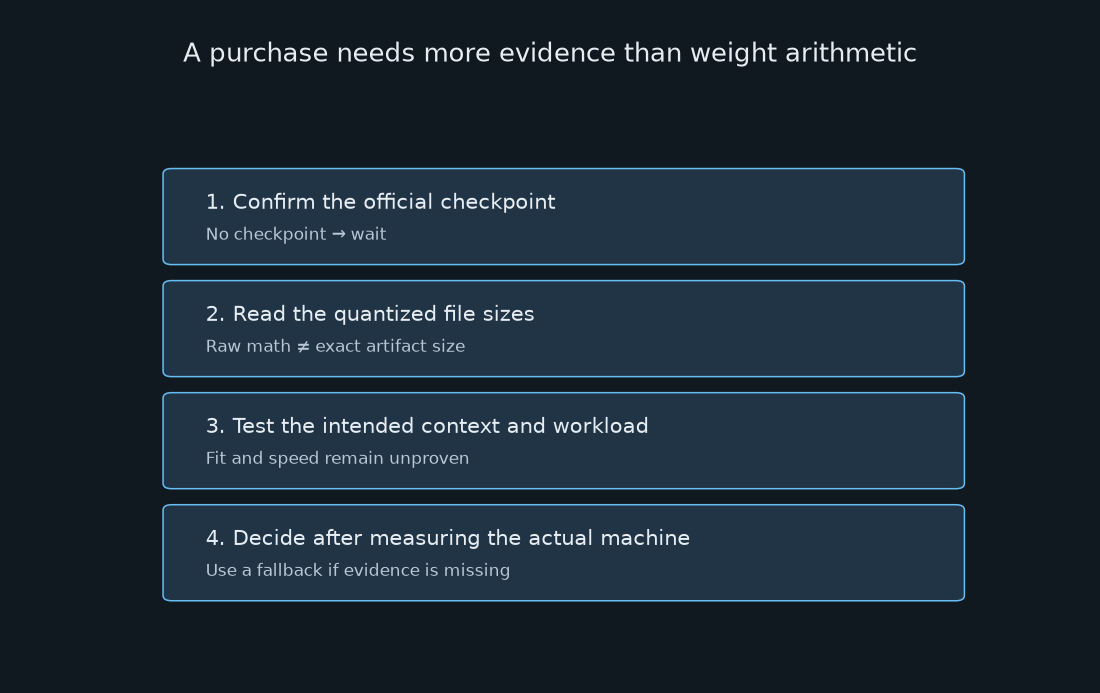
Use 17.5 GB as the starting calculation. Replace it with the actual download size, then measure the complete workload. The 3B-active label describes part of the computation; the other experts still need somewhere to live.
All five figures are original illustrations generated from the arithmetic in this article. None shows vendor benchmark results or a device measurement. For the broader comparison, read Start Here and the site’s evidence and correction policy. To report a reproducible correction, use Contact.
Related on this blog: Reflection Beam: 23B Active, 501B to Store
Opening reference: Qwen’s official Qwen3.6-35B-A3B card
Comments
Post a Comment