Muse, Grok Bot and Dots: Choosing an Agent by the Job
AGENTS & WORKFLOWS
Muse, Grok Bot and Dots: Choosing an Agent by the Job
For a weekly report, I care about what is ready the next morning: the correct file, traceable sources and a clear record of changes. Muse, Grok Bot and dots organize that work differently. Their documented workflows are a better starting point than a general intelligence ranking.
In this article
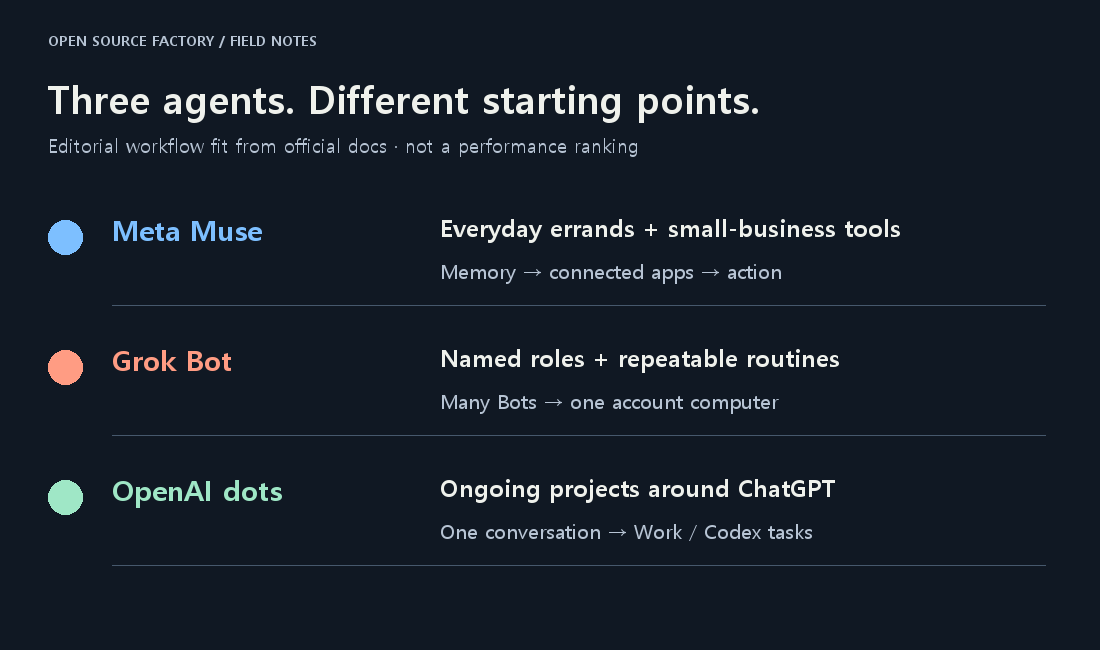
My starting choices are Muse for everyday delegation, Grok Bot for a team of named roles, and OpenAI dots for ongoing work already centered on ChatGPT. Those are workflow preferences, not a ranking of intelligence. All three can do more than their neatest marketing category suggests.
This comparison uses official documentation checked on October 22, 2026, plus linked firsthand user accounts. I have not run a matched three-agent benchmark. The task examples below are proposed trials, not things I secretly measured and turned into a leaderboard.
What are we actually comparing?
These are three agent products: Meta Muse, Grok Bot, and OpenAI dots. Muse Wonder and GPT-6 Astra are model names; their API token prices do not tell you what these agent subscriptions include. The product wraps models in memory, accounts, tools, a computer, and controls for acting on your behalf.
Muse: start with the errands and connected services
Meta introduced Muse as a personal agent with a dedicated cloud computer. Its examples include bookings, inbox work, shopping, and remembering personal preferences. It can continue after the app closes and ask for decisions along the way. That makes a recurring household or administrative chore a sensible first assignment.
But “personal” is an incomplete description. Muse for Small Business adds connections across business services and Meta business accounts. A shop owner consolidating customer questions and store information is closer to its intended audience than a simple “consumer chatbot” label implies. Connector availability and the permissions actually granted still determine what a particular account can finish.
Grok Bot: give recurring jobs to named teammates
Grok Bot's documentation is unusually explicit about the teammate model. You can create Bots with different jobs, let them coordinate, and turn a demonstrated process into a reusable skill or routine. A researcher, writer, and reviewer are an understandable way to divide a weekly publication workflow.
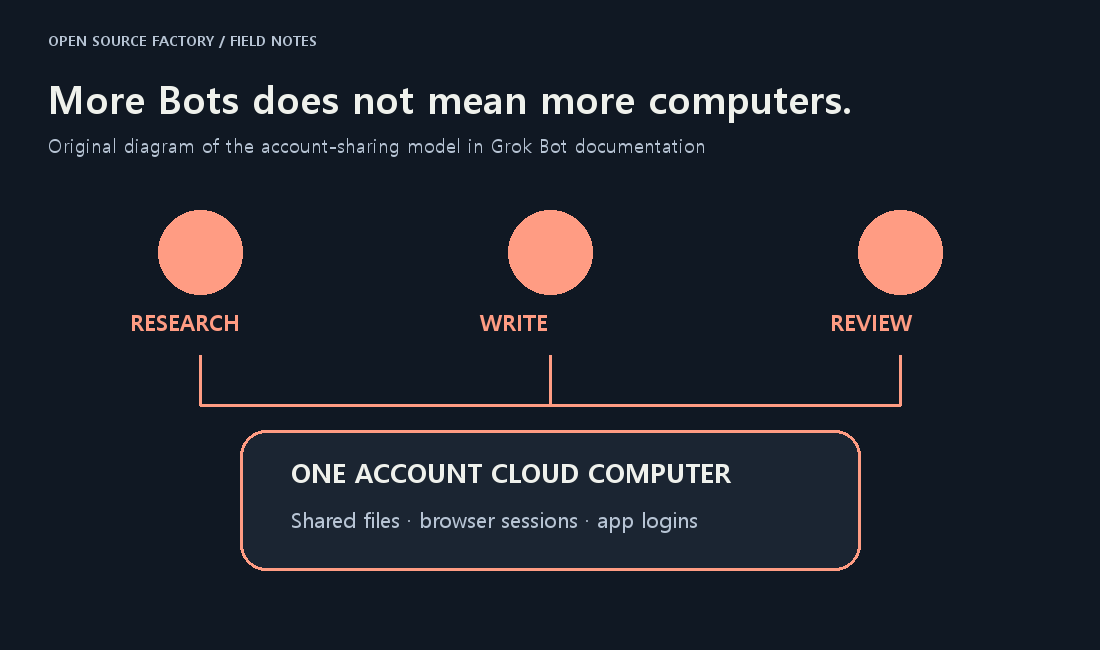
There is a detail worth catching before building that team: your Bots share one account's cloud computer, files, browser sessions, and app logins. Three Bot names do not buy three isolated desktops. Shared state makes handoffs easier; it also means a second Bot may encounter a session or file another Bot changed. A role description is not an access-control boundary.
Dots: keep a responsibility inside the ChatGPT workflow
OpenAI describes your dot as an ongoing agent powered by GPT-6 Astra. You can keep talking while it works and return with new priorities. The attraction is continuity around work you already discuss in ChatGPT, rather than recreating the same context for each separate job.
Dots also divides work among background agents and can start Work or Codex tasks. The tasks guide explains where those jobs appear and how to review them. Parallel work is therefore not a Grok-only feature. The more useful distinction is whether you prefer explicit named teammates or a main conversation that coordinates other work.

Its cloud computer and your computer are separate. A website login in your everyday browser does not automatically become the dot's login. Local files and tasks need the optional computer connection; cloud work can continue without it. This is the first thing I would check when an agent says it cannot find a file I am staring at.
What does it cost to start?
The useful comparison is the entry route, followed by the allowance you actually consume. These are different bundles with different meters. The numbers below are not prices for equal amounts of completed work.
| Product | Verified entry route | What the price does not settle |
|---|---|---|
| Muse | Free with limits; paid upgrades | Region, account access and current upgrade checkout |
| Grok Bot | New X Subscription Premium: $30/month | Before tax; shared weekly pool; Plus excluded; legacy plans differ |
| OpenAI dots | ChatGPT Pro from $100/month | Not a standalone Dot fee; phased access; delegated-task limits |
For Muse, Meta's reviewed launch material confirms free access with paid upgrades, but does not provide a current paid-plan checkout schedule. I am leaving those exact upgrade prices out of the verified table. A third-party post quoting one person's discounted bill is not a substitute for your account's checkout.
Grok's new-customer distinction matters. The X Subscription pricing page lists Premium at $30 per month, Super at $100, and Ultra at $200 before tax. The $8 Plus tier excludes Grok Bot. Existing Cursor and SuperGrok arrangements can continue, so an older $20 review is not necessarily wrong about that author's account; it is a poor universal sign-up instruction today.
The new shared weekly pool covers eligible first-party usage across the supported surfaces. Third-party models in Cursor are paid Additional Usage. Extra Bots are not free compute. Check the live meter and spending controls before interpreting “included” as permission to run everything continuously.
For dots, Pro starts at $100 monthly; that is a ChatGPT subscription, not a separate $100 Dot charge. The access section currently names Pro 100/200/500, Business Premium, and Enterprise, with phased availability and region or administrator conditions. Ordinary conversation and the deeper Work/Codex tasks it launches also have different usage treatment. None of this establishes unlimited work.
What do people who used them actually say?
The public accounts are more useful as a list of things to test than as a vote. They are self-reported experiences, not verified purchases or a representative sample. I selected reports describing specific work and included counterexamples. Plan names and bills belong to the time and account in each post.
Muse: attractive usage, but check long-running instructions
In a week-long Muse/Grok comparison, a business operator who reported more than 20 hours with each preferred Muse's running cost while finding Grok more independent. The practical detail was their use of shared job descriptions and rules in files, which made moving the workflow possible. That is one operator's experience, not evidence that Muse always costs less for the same result.
An October 9 usage discussion shows the disagreement well. The poster liked Muse's allowance after Notion and video projects. A respondent said long jobs lost instructions and context, and preferred Grok on a higher plan. Different tasks and configurations could explain both accounts. I would test whether the agent keeps a correction across several sessions before moving a business process.
Grok Bot: useful delegation, with recurring concern about the meter
The same comparison praised Grok's ability to handle more work without intervention, but its reported workload required a much higher plan. In an October 16 thread, a legacy-plan user felt familiar scheduled tasks were consuming allowance faster. Their observation does not establish that the vendor halved a quota or identify the cause. It does explain why the recurring job's actual weekly draw belongs in a trial.
Dots: continuity can help; permissions can still interrupt it
An October 1 account described a long document review that kept its place while the user asked side questions. The author disclosed AI-assisted writing and uncertainty about execution and billing. I would take the described experience as a lead to investigate, rather than repeat every infrastructure claim as established fact.
In an October 9 discussion, a $100-plan user reported shallow research and lost permissions. Other participants described useful email alerts and project coordination, alongside voice or connection bugs. A smooth cloud assignment and a stalled local-computer task can coexist. “Proactive” is also too vague unless the user has specified which sources, events, and decisions deserve a notification.
Which would I choose for the same job?
For a weekly personal-admin bundle, I would try Muse first if my region and account are supported. Give it a small set of appointment messages and ask for a proposed calendar, with sending held for review. The free entry makes that an inexpensive way to learn whether everyday delegation helps. Muse's business connections make the same idea relevant to a small shop.
For an ongoing research-and-writing operation, I would consider Grok Bot's explicit roles. Give the researcher and reviewer different acceptance checks, and name the files they share. I would compare one capable Bot with a team before multiplying roles: coordination can consume time and allowance without improving the final article.
For a project already using ChatGPT and Codex, I would begin with dots if I already had eligible access. Ask it to maintain the decisions, coordinate a defined coding task, and return the patch and checks for inspection. Paying for a new high-tier subscription makes a different value proposition from using something already included in your work setup.
These are starting hypotheses. Muse can handle work, Grok can handle personal chores, and dots can delegate parallel jobs. Choose from the workflow you want to maintain, then let a repeatable task change your mind.
What would make this a fair test?
I would give all three the same anonymized CSV, five sample customer emails, and one instruction: produce a weekly operating brief. It must show the totals, cite the source rows, flag an intentionally duplicated order, and draft two replies without sending them. This is a proposed test package.
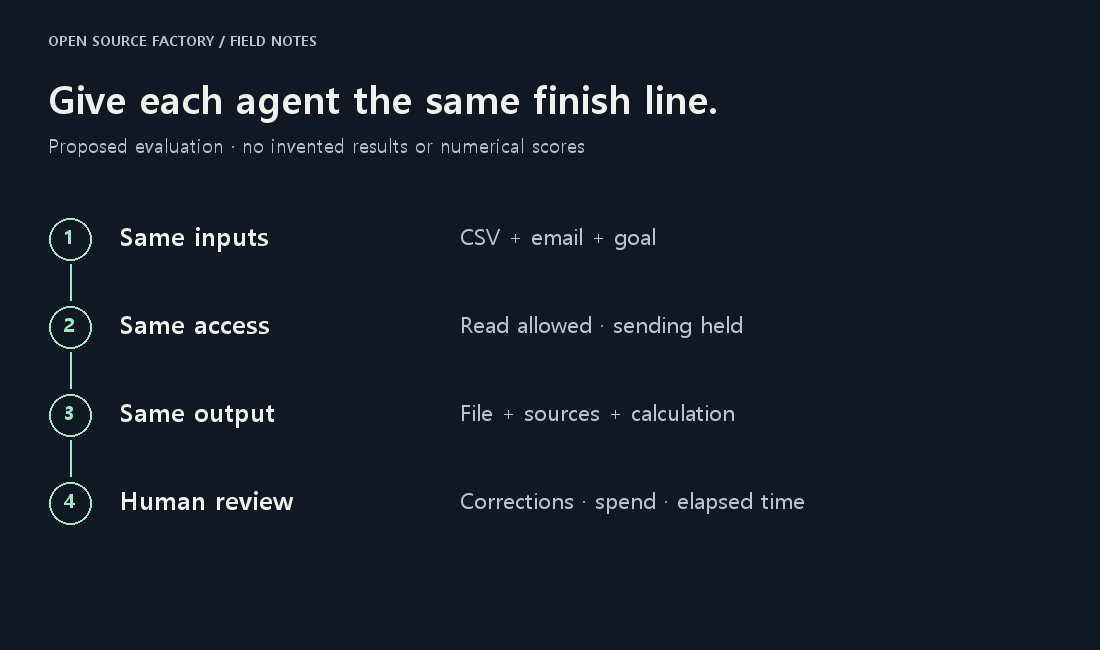
Keep app access, time allowed, output format, and approval boundaries equivalent. Inspect the file, rerun the arithmetic, and count missing facts, manual corrections, interruptions, elapsed time, and the account meter's change. Repeat after adding one correction and after an overnight break. That reveals whether saved context reduces your work.
For a published comparison, report the plan, date, prompt, permissions, and each failed attempt. A single attractive response would not settle it. My MiniMax finished-task cost analysis explains why the successful output and the full bill need to be considered together; the earlier Grok Bot introduction provides the original product context.
Three questions before handing over a real account
Can I use all three from Korea?
Do not assume that. The latest Meta business announcement reviewed here names the US and Canada; I did not verify an official Korean Muse launch. Dots access is phased, with personal-plan exclusions for the EEA, UK, and Switzerland. Grok also needs an eligible account and supported access. Confirm availability in your own account before buying a plan for this comparison.
Will they keep working when my PC is off?
Cloud work can continue, but that does not make an offline local computer reachable. For dots, the connected computer must be online with the ChatGPT app open for work assigned there. A cloud browser also has separate login sessions. Ask where the job is running before treating “always on” as a guarantee about your devices.
Which one should I trust with purchases or customer messages?
I would start with drafts and a narrow, named action. Meta documents a separate Sentinel and credential controls; Grok documents Auto Review and manual handoffs; dots documents action review and custom rules. These are controls to inspect, not a basis for declaring any product mistake-proof. Review the recipient, amount, and final content before an important action.
My preference is the agent that leaves me with a correct file, a clear decision, and less repair work the next morning. Muse, Grok Bot, and dots each have a plausible route there. The winner for your workflow is the one that can repeat it.
Related: 1Password for Agents: the sign-in connection and its limits
Comments
Post a Comment