OpenClaw 2.0: Read the Migration Alongside the Features
AGENTS & WORKFLOWS
OpenClaw 2.0: Read the Migration Alongside the Features
A rebuilt interface is only part of an OpenClaw upgrade. Existing credentials, shared sessions and scheduled work still have to behave correctly after migration. The versioned release notes are a better guide to that job than the total number of merged pull requests.
In this article
The release gap and rebuild
OpenClaw’s release notes describe a rebuild after 49 days without a release, following a much faster earlier cadence. Version 2026.8.1, presented as 2.0, changes onboarding, the Control UI and shared sessions. This article follows the documented user-facing changes rather than claiming a review of every merged PR.
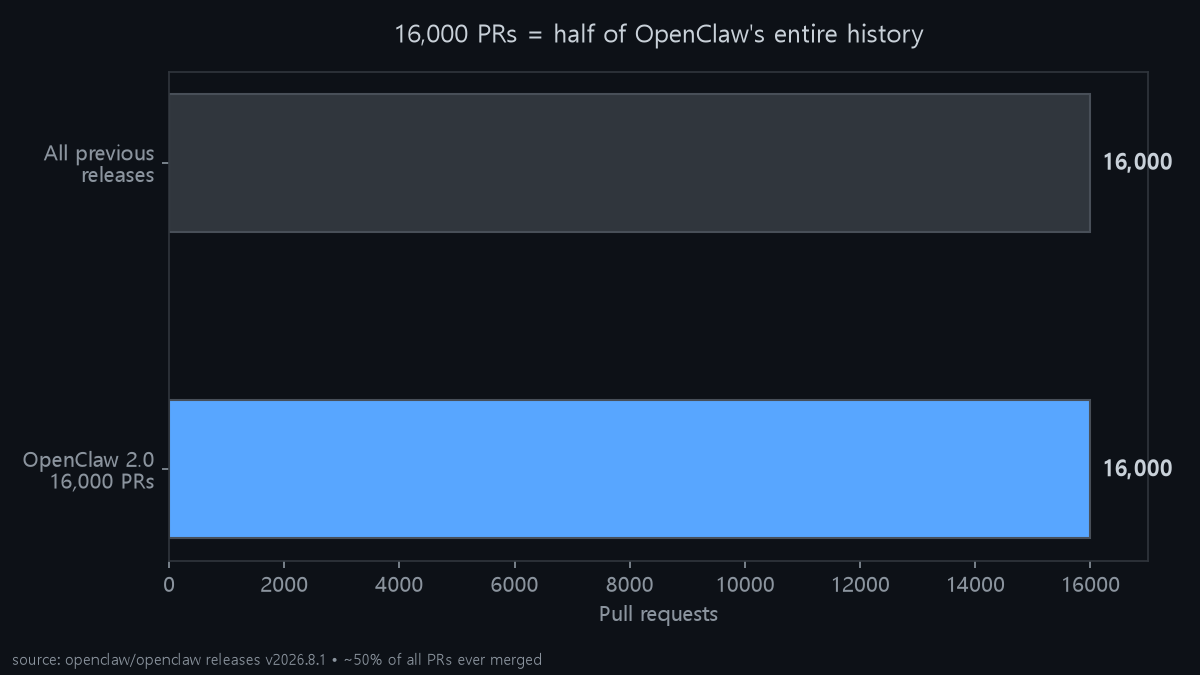
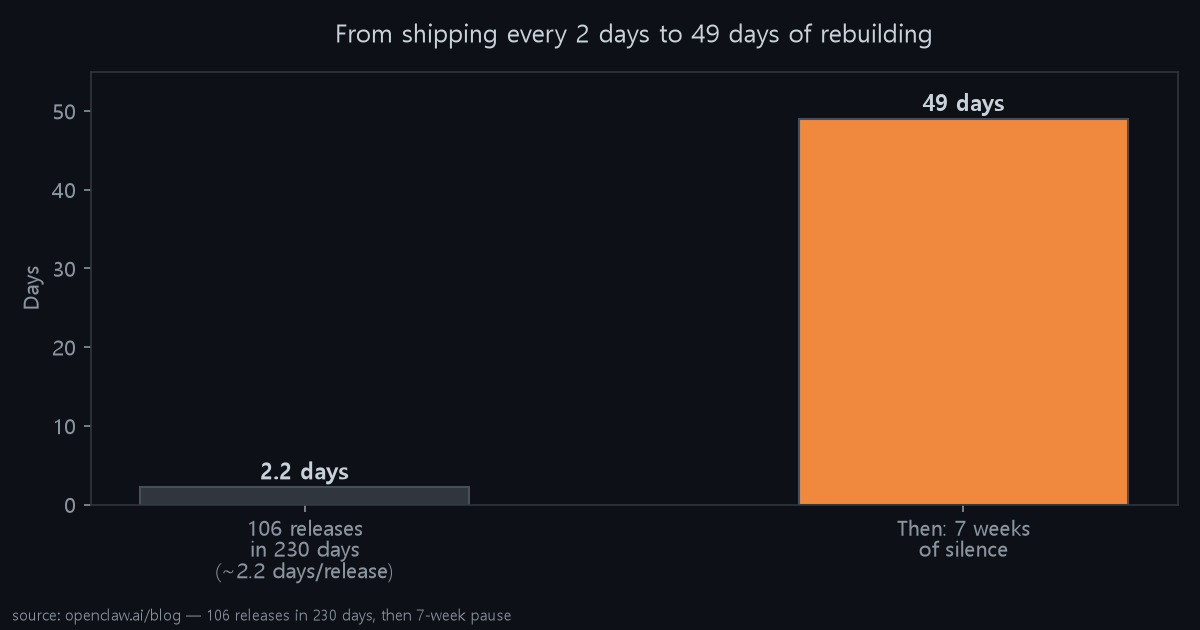
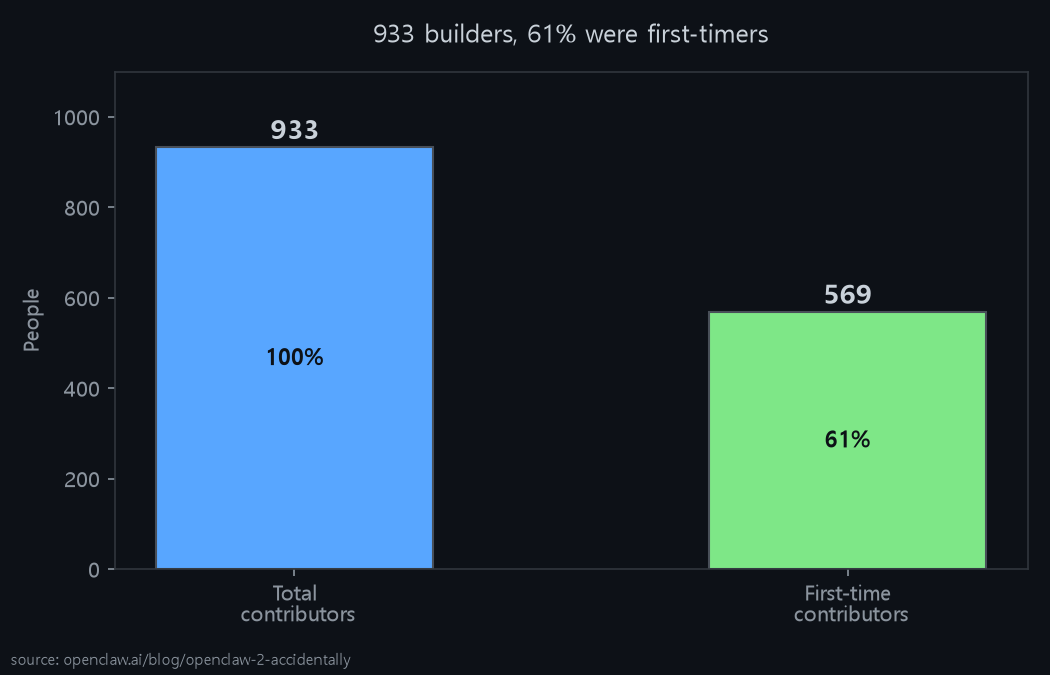
Takeaway for you: if you tried OpenClaw months ago and bounced off setup, this is a different product. If you've been running it daily, read the updating guide first — sessions now live in SQLite, and downgrading needs a verified backup.
Guided onboarding
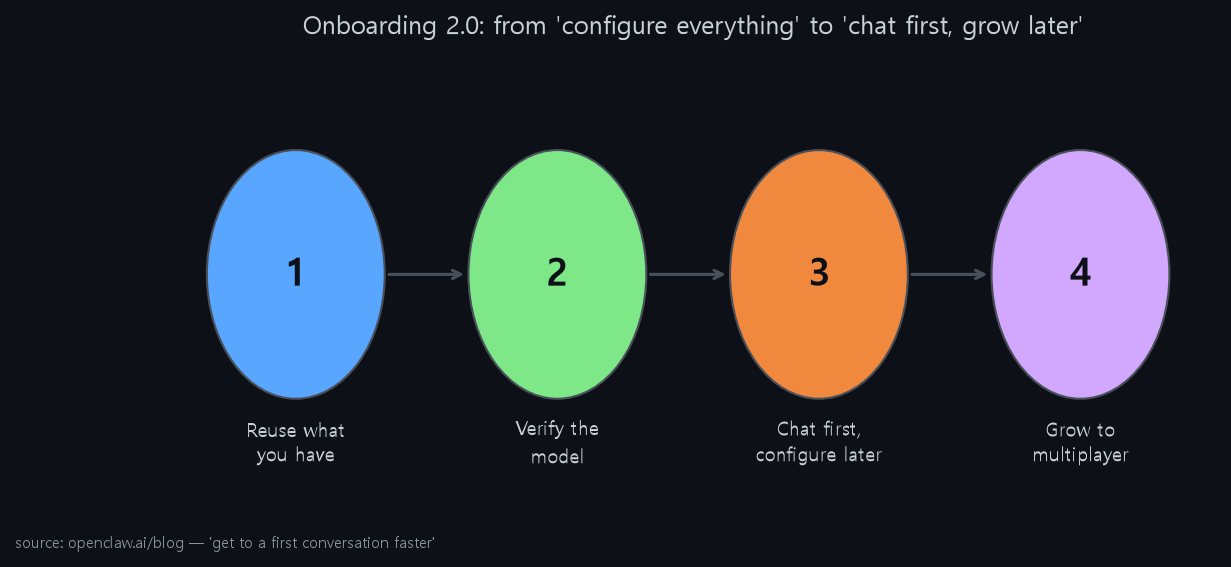
This is the headline the team wanted: reuse what you already have, verify it actually works, chat first and configure later.
- Reuse: guided setup now detects ChatGPT / Claude / Codex sign-ins, existing API keys, and local Ollama / LM Studio models — and prefers stronger local models automatically.
- Verify: the exact model choice must answer before it's saved. Local GGUF via managed
llama-server(replaces node-llama-cpp) and Gemma 4 as the RAM-gated default. - Platform: Mac app can move itself to Applications (so updates + launch at login work), Linux/Unix gets
openclawon PATH without hand-editing shell files, ChromeOS/Crostini guide added. Node 22.22.2.
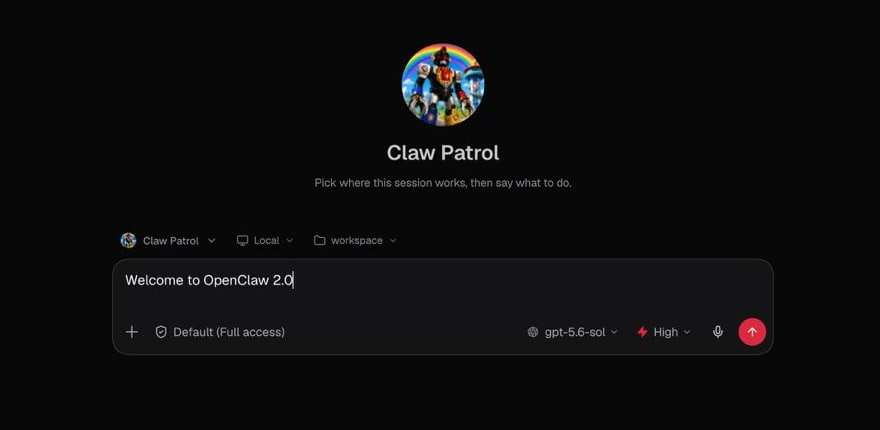
The Control UI changes
Most people meet OpenClaw in the browser, and the team rebuilt that surface as the primary place to live: durable session progress cards that survive reloads, subagent activity streaming, pinned widgets and dashboards, and structured question cards (buttons + free-text + Skip) that work across web, native apps, and messaging. It's the same session, just visible from wherever you are.
For someone like me who lives in Hermes + browser previews, this is familiar — OpenClaw just decided the web app is the app.
Shared cloud-session permissions
This is the most interesting shift. Before 2.0, you couldn't bring another person into live work without losing what the Claw knew. Now you can run work on paired devices or cloud workers, move the workspace with the session, and hand it off with context intact. Warm machines + project seeds make the next cloud session faster. The team says they used it to build 2.0 itself.
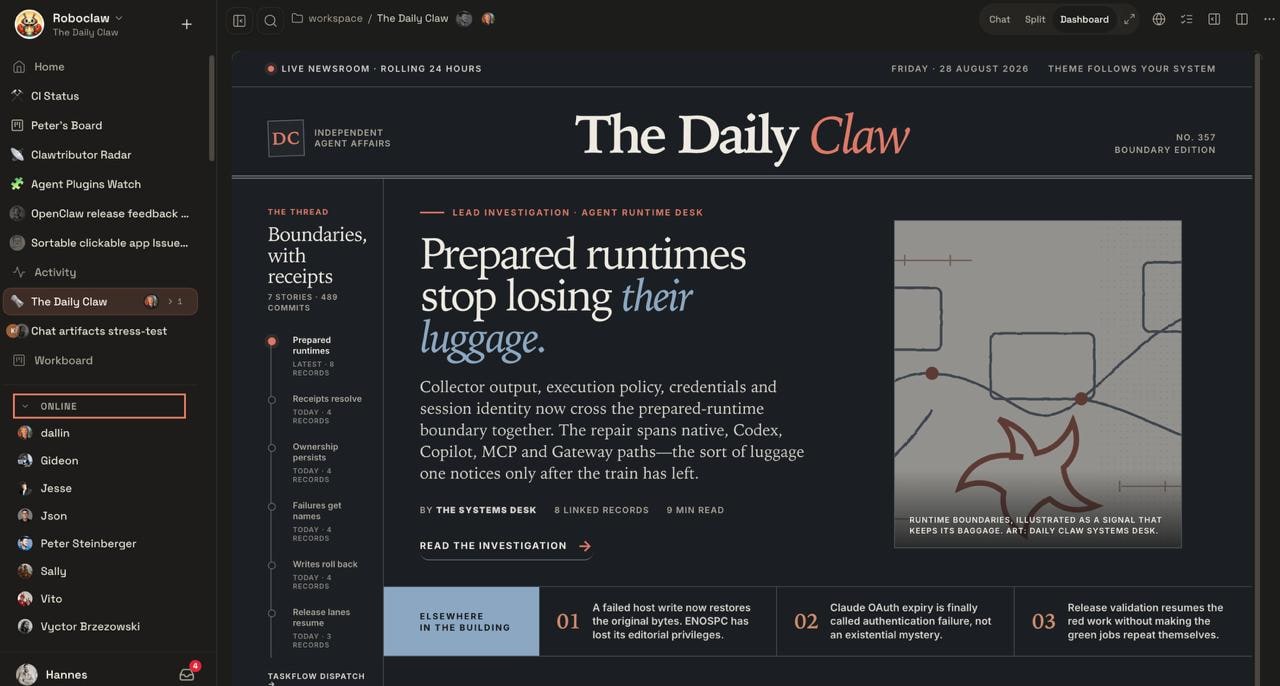
Plain language: your Claw starts simple — watch one inbox, send one Telegram alert — and grows to cross-app tasks ("find that iPad receipt my brother asked about on iMessage") and then to team handoffs. Same relationship, wider reach.
Documented security changes
Security is where 2.0 is most deliberate — and also where the release notes are most careful to say what these controls are not. Quoting the docs: team operator roles are "collaboration features and should not be treated as hostile multi-tenant isolation."
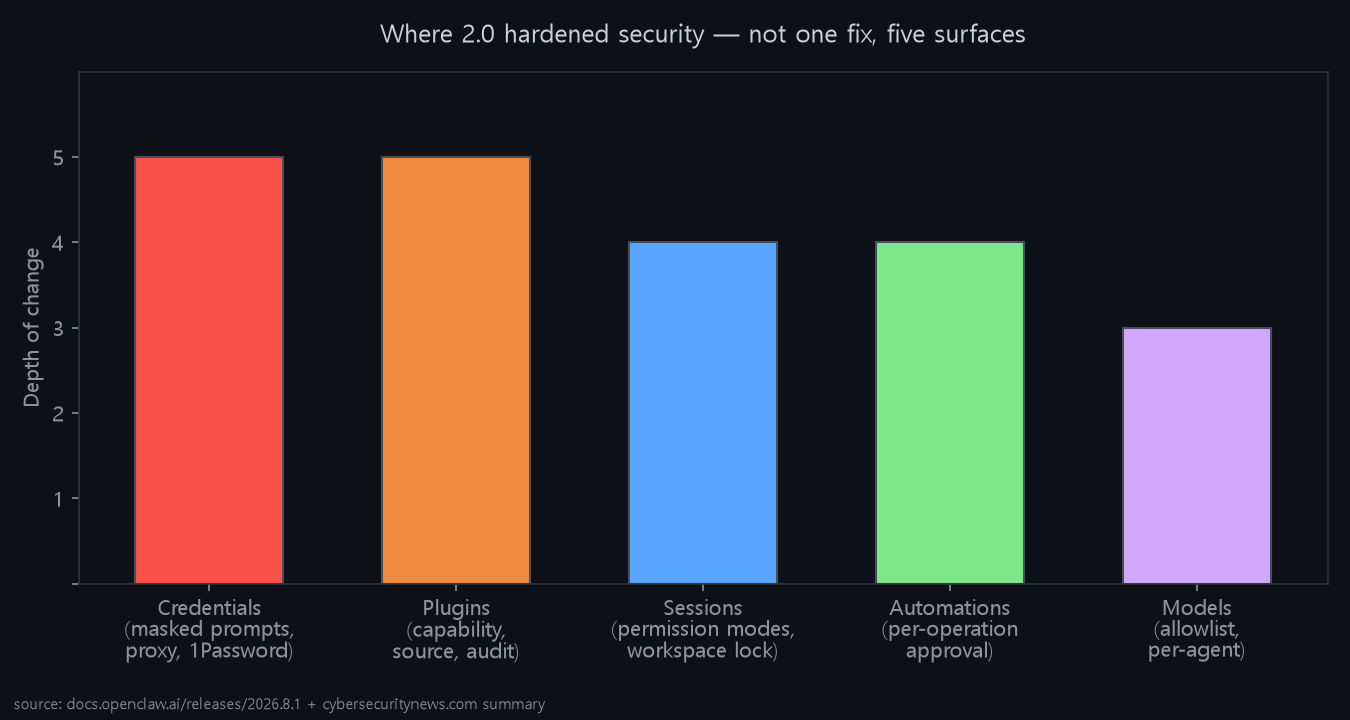
- Credentials: private credential requests via masked prompts (value never hits chat or model context), opt-in proxy that only substitutes secrets to approved destinations, shared team credential store (SQLite, write-only), and an optional 1Password broker with per-secret approval + audit.
- Plugins: install/enable now shows capability, source, version, and exact artifact before you consent. Arbitrary executables need
--force. ClawHub audit info surfaced in the flow. - Sessions: explicit permission modes + workspace restriction anchored to the recorded workspace/worktree. Less chance of wandering outside the approved directory.
- Automations: approve a recurring operation once for the exact operation, inspect/revoke later, and re-approve when the job changes — so an approved workflow can't silently expand.
- Models + config: model allowlists (with per-agent policy + wildcards), config-change history with sensitive-value redaction, DB recovery protections, sanitized triage handoffs.
Memory behavior and opt-in
Three related defaults changed:
| Feature | Default | What it does |
|---|---|---|
| Personal conversation recall (Active Memory) | On for personal installs | Same-agent private context recalled in a bounded way. Groups/channels excluded. You can disable. |
| Grounded dreaming | On | Background consolidation promotes provenance-qualified material into long-term memory, with a Dream Diary. |
| Automatic self-learning | On (scanner-approved) | Strong reusable lessons + Workshop-owned skills can auto-apply; your own skill edits stay pending. |
All three have an explicit off switch. I like that — memory as a default you can keep, not a surprise you discover.
Breaking changes in the upgrade
2026.9.1-beta.1 is misversioned — it's really 2026.8.1-beta.4, not newer than stable.- OpenProse removed: bundled plugin +
/prosecommand gone. Runopenclaw doctor --fixand follow the Agent Skill migration. Your.prosefiles stay. - OpenAI routes renamed:
codex/*andopenai-codex/*→openai/*.openclaw doctor --fixmigrates model refs, provider config, stored sessions, and automation routes. - Provider plugins unbundled: BytePlus, ComfyUI, Mistral, NovitaAI, OpenCode, Synthetic, Volcengine, Vydra, Xiaomi, Cohere, Meta, DuckDuckGo, Voyage, iMessage now install as separate official plugins when needed. Missing owners recovered via
openclaw update repairordoctor --fix. - SDK deprecations Sep 1, 2026: external plugins should migrate to
api.pluginConfig/openclaw/plugin-sdk/*focused imports (channel-outbound/inbound, config-contracts, delivery-queue-runtime, etc.). Not removed yet — just the gate.
Other user-facing changes
Find past conversations by exact phrase, session search reopening surrounding messages; audio/video stays attached across uploads, replies, playback and reloads; Discord voice improvements, native video to Google/Moonshot models, Fish Audio + local MLX speech, Feishu meeting join, Linux PipeWire talk-back. Full list is in the release notes — this post covered the shape, not the tail.
The guided setup and Control UI target the earlier onboarding friction. Existing installations also need the breaking-change review, a backup and checks of credentials and automations. Shared sessions add a separate access-control question: who can see the context and initiate an action.
Follow the versioned migration notes, verify the Gateway starts and inspect the existing scheduled work after an update. A clean startup is the beginning of that check, not proof that every old integration still behaves as expected.
Images: Fig 5,6 via openclaw.ai (credit in caption); Figs 1-4,7 self-rendered charts. Stars/forks as of Sep 1, 2026.
Related on this blog: Qwen3.8-27B: 27B Dense, Vision Included, Apache-2.0 · 2026 Local AI Machines Ranked by Value: Which Box Actually Earns Its Place
Comments
Post a Comment