Images 2.5: Compare Quality Tiers Before the Saving
MODELS & COSTS
Images 2.5: Compare Quality Tiers Before the Saving
The quality label stayed familiar while its meaning changed. In Images 2.5, old medium maps to new high and old high to new max. A large saving calculated from two settings named high can therefore compare different quality tiers. Start by matching the required output.
In this article
The other change is in the image-making workflow: sketches, templates and focused edits give a user more ways to guide a result. This article looks at those controls alongside the two model variants and the cost of the same image count.
Models and editing tools
On September 8, OpenAI released ChatGPT Images 2.5, five months after Images 2.0 from April. It is rolling out to every ChatGPT, ChatGPT Work, and Codex user on all tiers, desktop, mobile, and web, which includes the free tier. For developers there are two new API models, GPT-Image-2.5 Flare and GPT-Image-2.5 Sunburst. Some scale context from the announcement: people now make more than 3 billion images a week across ChatGPT Images and the API models.
The model claims, all vendor-reported: sharper details, more natural lighting and richer textures, better preservation of subjects from your reference photos, and editing instructions that hold up better across multiple turns. Latency is down by up to 50% versus Images 2.0. That "up to" is doing real work, as always, but there is at least one outside data point suggesting the speedup is real, more on that below.
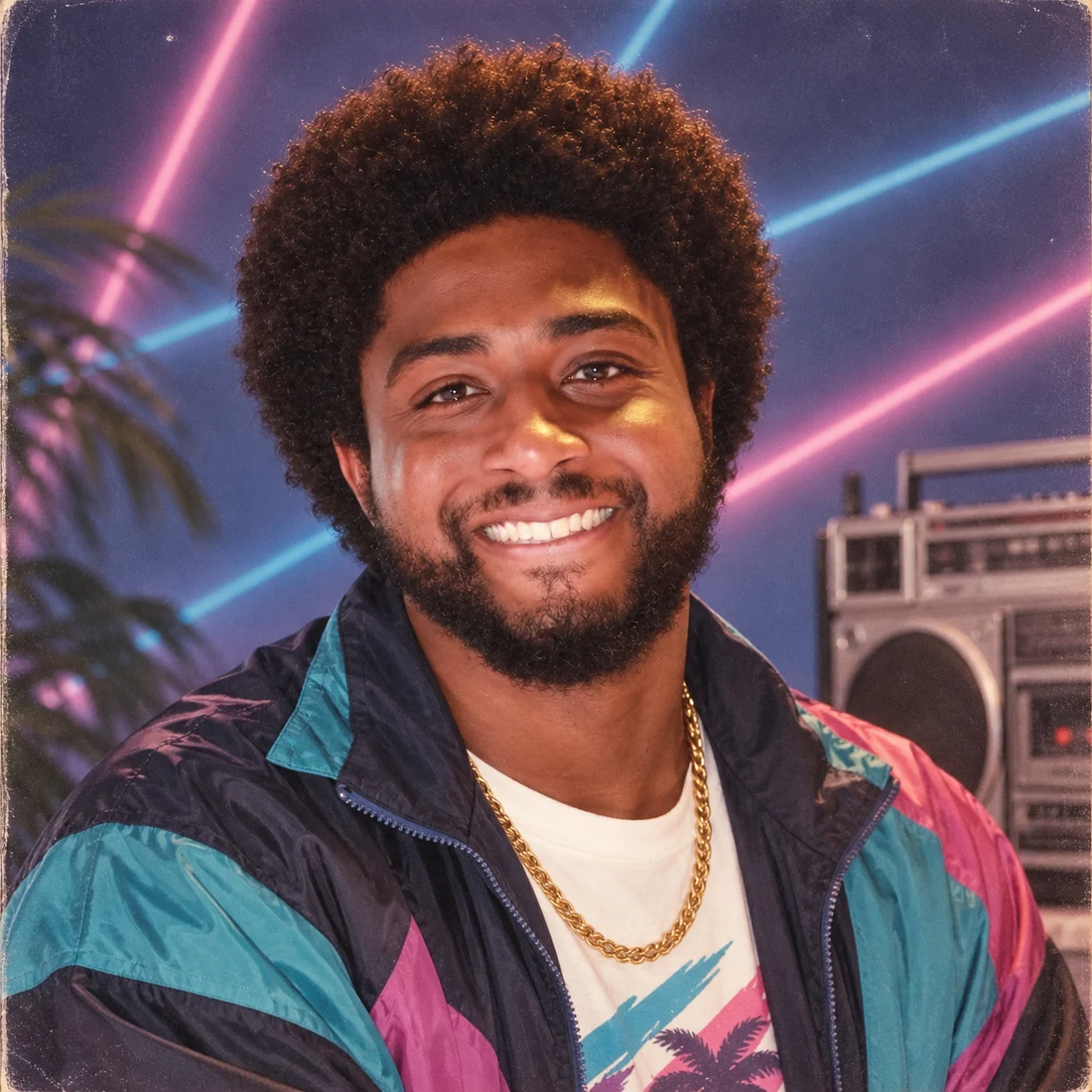
The kind of reference-faithful stylized portrait OpenAI is showing off: an 80s neon headshot. Image: OpenAI official announcement.
Guiding an image with a sketch
Sometimes the clearest way to explain an idea is to draw it badly, and OpenAI finally agrees. Sketch lets you draw directly inside ChatGPT and use the doodle as a visual guide for the final image. Room layout, an outfit contour, a funny stick figure. You type "@Sketch" in chat, scribble, add a style description, and the model turns your rough art into a finished image. No artist skills required, which describes me perfectly.
Product lead Adele Li told Axios the sketch tool and templates are "an attempt to make people more engaged in the process of creation, rather than them being a passive force," and that she doesn't want to be able to "see ChatGPT in the world." I like that framing. It also reads as an honest admission that AI image output has a recognizable house style problem, and this is one attempt to fix it.
The other new tools: templates for popular formats like Poster and Merch so you don't start from a blank canvas, comments you can pin directly onto an image for focused edits ("lighter HERE" with a circle, exactly like Axios did with a tattoo design), and shareable prompts so someone else can rerun your idea with their own photos. Axios' hands-on testing is worth reading here: they turned a photo of a cat into a stained-glass window and a joke anatomical diagram, superimposed tattoo additions next to an existing arm tattoo across several edit rounds, and built a merch mockup for a logo. The tattoo case is the telling one, because multi-turn edits where earlier changes survive is precisely what OpenAI claims got better.
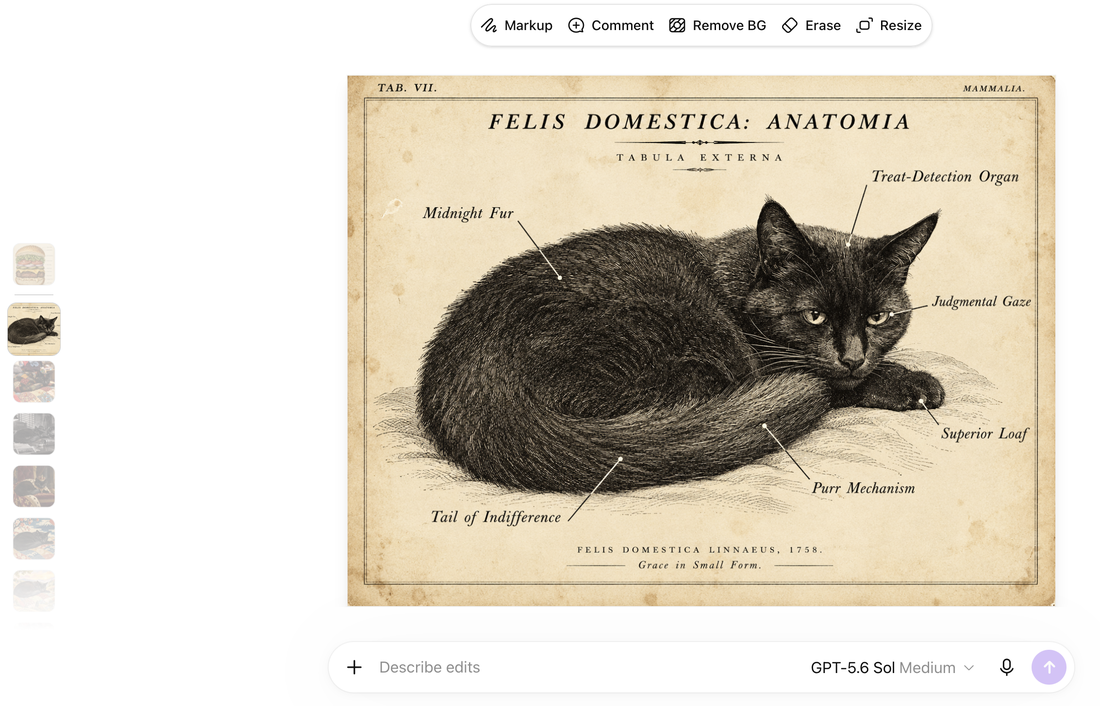
Axios' hands-on: the new editing screen with Markup, Comment, Remove BG, Erase, and Resize tools. The anatomical-cat diagram shows text rendering holding up inside a fussy vintage style. Screenshot: Axios, used with credit.
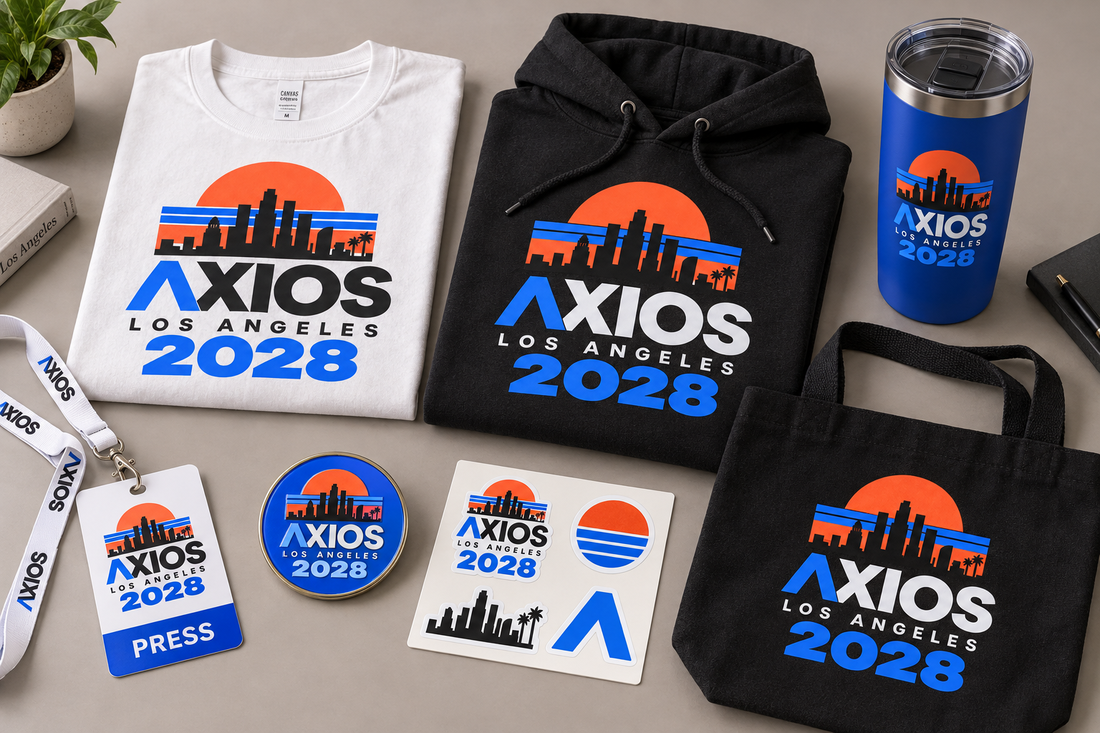
Same session: a logo applied across shirts, a tumbler, a tote, and stickers. Single-element edits that preserve the rest are the stated API use case. Image: Axios, used with credit.
Flare and Sunburst latency
For API users the choice is Flare or Sunburst. Per-token rates are identical across Flare, Sunburst, and gpt-image-2 Standard: $8 per 1M image input tokens ($2 cached), $30 per 1M image output tokens, $5 per 1M text input ($1.25 cached). So the models don't differ in price at all. They differ in time. Flare is the default for most apps, higher quality than gpt-image-2 at 50% lower latency, aimed at creator content, product experiences, visual search, rapid prototyping, high-volume generation. Sunburst trades longer generation times for tighter control across edits: campaign creative, polished product imagery.
Early-customer quotes in the launch post back this up directionally. Adobe's Matt Chotin says both models are now in Firefly. Manus' evaluation team says Flare ran two to four times faster than gpt-image-2 in their tests with better transparent backgrounds. Higgsfield's head of product says the model preserves a source image's character and composition through edits. All vendor-selected quotes, so read them as direction, not proof. But they agree with each other, which is at least consistent.
The renamed quality tiers
Here is the part worth a decoder ring. Apidog worked through OpenAI's pricing calculator and found the per-image costs moved a lot even though per-token rates didn't. GPT-Image-2.5 has five quality levels now: low, medium, high, xhigh, max. The token budget sitting under the label "high" is 1,756 output tokens at 1024x1024, which is what gpt-image-2 spent at "medium." And "max" at 7,024 tokens is the old "high" budget. So keeping quality: high in your config gets you the old medium render at about a quarter of the old high price, and matching the old high look means moving to max at effectively the old price. Xhigh is a new middle rung with no predecessor.
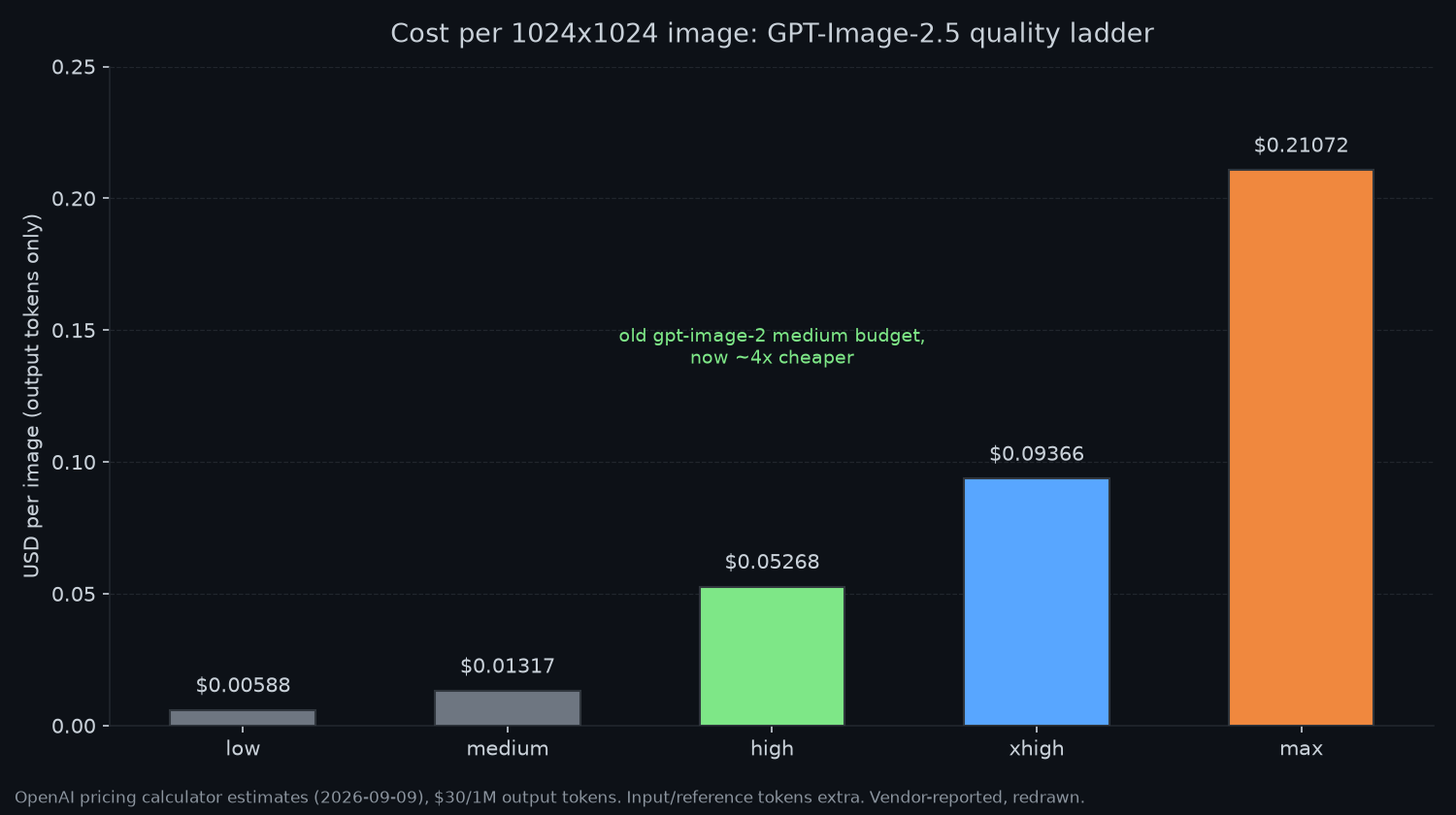
Per-image cost at 1024x1024 across the five 2.5 quality levels, from OpenAI's calculator estimates. High sits on the old medium budget; max matches the old high. Vendor-reported, redrawn.
| 2.5 label | Tokens (1024x1024) | Cost | Same budget on gpt-image-2 |
|---|---|---|---|
| low | 196 | $0.00588 | low ($0.006) |
| medium | 439 | $0.01317 | no equivalent |
| high | 1,756 | $0.05268 | medium ($0.053) |
| xhigh | 3,122 | $0.09366 | no equivalent |
| max | 7,024 | $0.21072 | high ($0.211) |
Two things to get right before anyone quotes "half price" or "double price" at you. First, the "2x pricing" rumor in early coverage came from comparing 2.5 Standard rates against the gpt-image-2 Batch row, which carries a 50% discount. Standard versus Standard, every rate is unchanged. Second, reference images and prompt text bill on top: a reference photo sent to the edits endpoint costs image input tokens, and OpenAI doesn't publish a per-image input count, so read usage.input_tokens from your own responses.
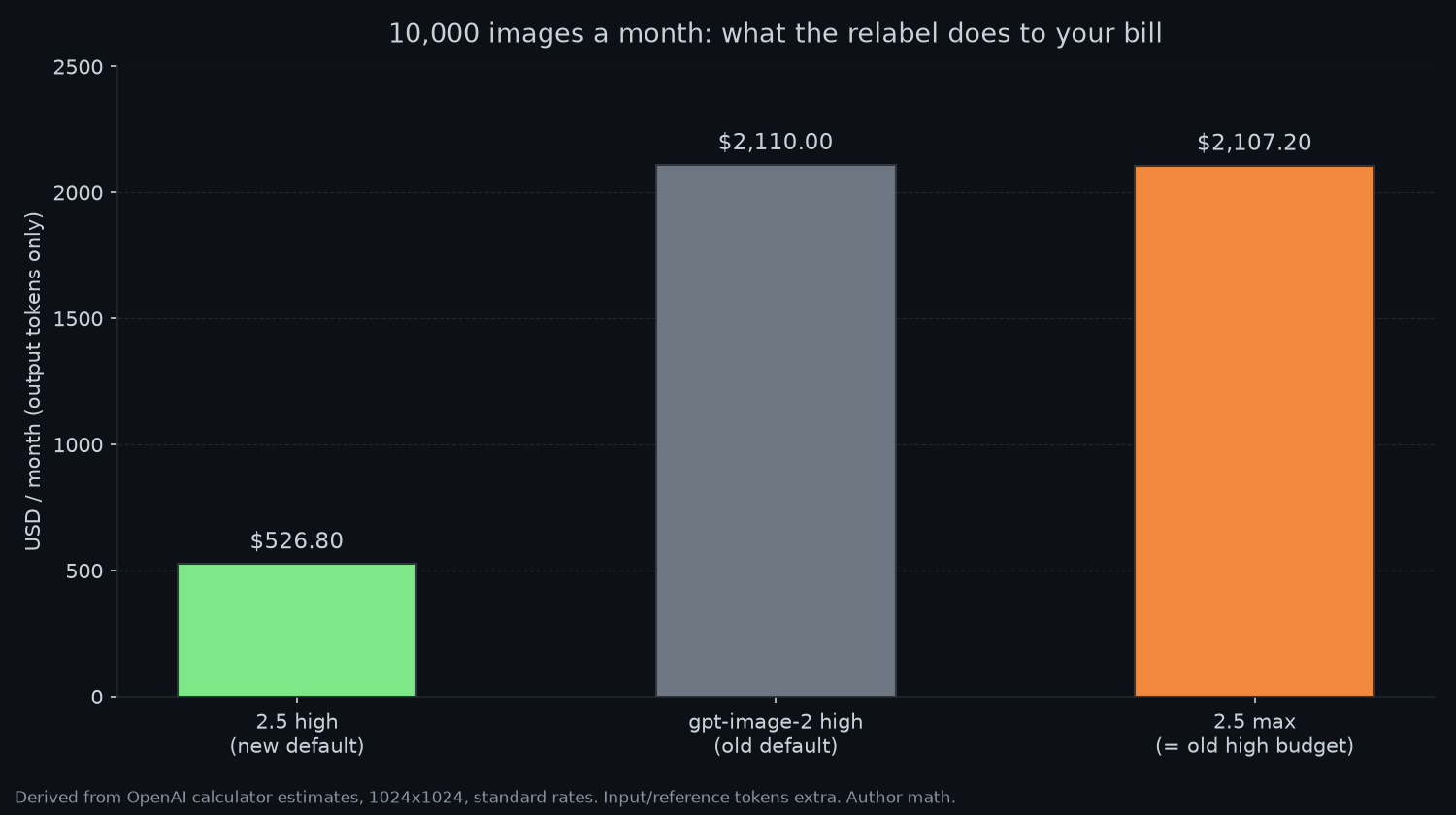
10,000 square images a month, output tokens only: $526.80 at 2.5 high, $2,110.00 at old high, $2,107.20 at 2.5 max. Same render budget, same bill; a smaller budget, a quarter of it. Author math from calculator estimates.
What external tests cover
Two non-OpenAI signals exist so far, both with caveats. The community Arena leaderboards (votes, updated September 7) rank Sunburst first in text-to-image at 1421 and Flare second at 1399, with gpt-image-2 at 1381 and Nano Banana 2 at 1261. On the image-edit board the gap widens: Sunburst 1520, Flare 1491, gpt-image-2 1461. Crowd preference, not a benchmark, but note the pattern matches OpenAI's own framing: the edit gap (29 points) is bigger than the generation gap (22 points), which is exactly where Sunburst is supposed to earn its longer wait.
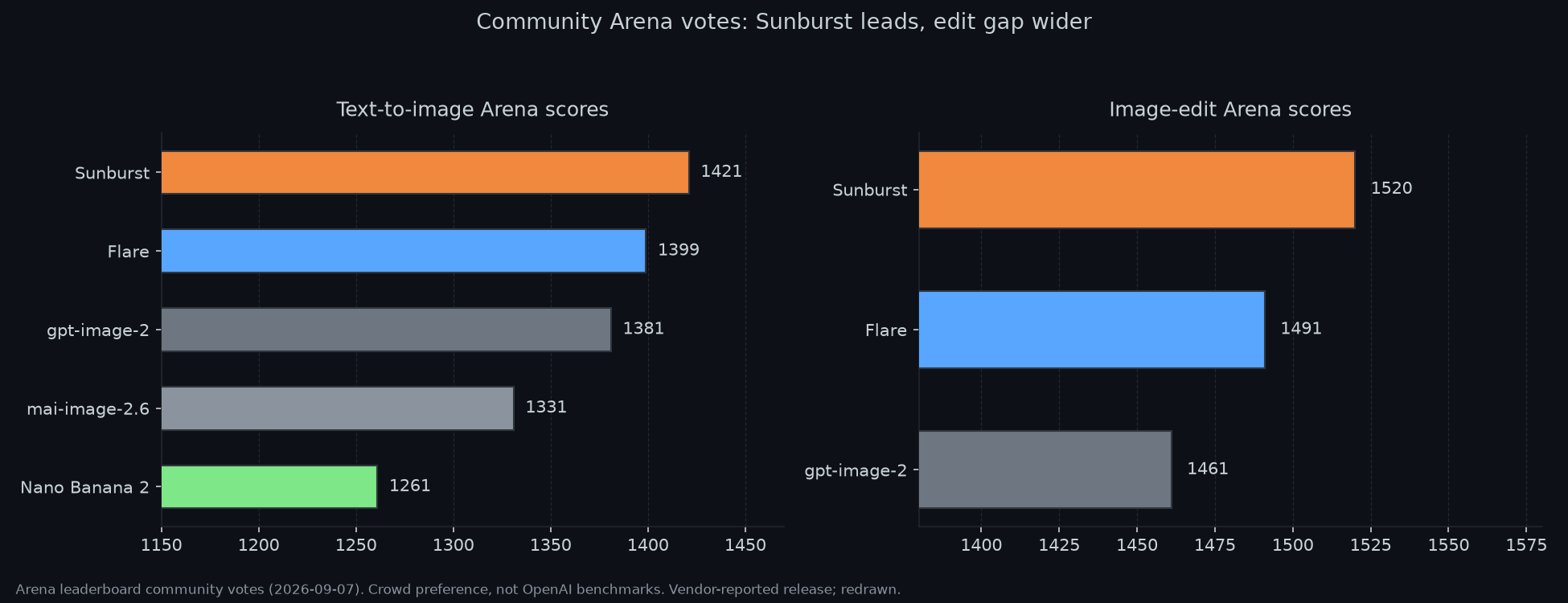
Arena community votes: Sunburst leads both boards, and the edit lead is the wider one. Crowd preference, not an OpenAI benchmark. Vendor-reported release, redrawn.
On speed, one HN user running about 50,000 images through gpt-image-2 for an AI UI design tool reports average latency holding around 104 seconds on gpt-image-2 with 2.5 images coming in around 35 to 40 seconds. One workload, one data point, but it lands in the same zone as OpenAI's "up to 50%" latency claim and Manus' "two to four times" figure. If your pipeline is latency-bound, Flare at high is the obvious first experiment.
Matching a variant to the job
Default to Flare. That is OpenAI's own guidance and the numbers support it: same bill as before per token, faster, better quality at the same label, and a new cheaper default if you leave quality at high. Switch to Sunburst for multi-turn edit workflows where a reference subject has to survive several rounds of instructions, and only after a side-by-side on your own prompts. If the 22-to-29-point Arena gap doesn't show up on your images, you're paying latency for nothing. Keep gpt-image-2 around for two reasons: the 50% Batch discount tab currently lists only gpt-image-2, and a pinned snapshot like gpt-image-2-2026-04-21 that someone already visually reviewed is a feature, not technical debt.
The migration itself is small but the relabel is the trap: old medium becomes new high, old high becomes new max, low stays low, and do it in config rather than per call site. Also check whether the Batch endpoint accepts the 2.5 ids before cutting over a batch workload, and re-measure usage.output_tokens for a week because the calculator figures are estimates by OpenAI's own warning.
The quality claims still come from the vendor, with no independent benchmark at this article’s date. OpenAI’s reported unsafe-generation rates—1.09% for Sunburst, 1.41% for Flare and 1.64% for 2.0—use its adversarial set and are not typical-traffic rates. C2PA and SynthID are part of the described provenance measures, not proof that an image cannot be misused.
For a migration, test the new tier mapping on representative outputs and record the actual billed usage. That is a more useful comparison than applying the calculator’s largest apparent saving to an entire production workload.
Sources: OpenAI announcement (Sep 8, 2026), OpenAI pricing page + calculator, Images 2.5 system card, Axios hands-on, 9to5Mac, Unite.AI, Apidog pricing breakdown (figures via their calculator read, Sep 9). Real-content images credited in captions (OpenAI, Axios). Charts: my own redraws. Related on this blog: the GPT-6 Astra launch post and the Astra vs Fable 5.1 pricing comparison.
Linked source documents
Related on this blog: ChatGPT Try-On: Will That Outfit Actually Suit You? — how to use clothing previews without mistaking them for measured size advice.
Comments
Post a Comment