DGX Spark 64GB: Price the Upgrade Before Buying In
HARDWARE & DESIGN
DGX Spark 64GB: Price the Upgrade Before Buying In
Buying one $4,999 box now and another later means $9,998 in hardware before extras. That calculation belongs near the start of a DGX Spark 64GB purchase decision. Needing the NVIDIA stack and needing more memory are related, but they can lead to different configurations.
In this article
NVIDIA announced the 64GB configuration on October 2, with OEM availability planned for October 23 and a starting price of $4,999. My view: it is worth considering if you specifically need the NVIDIA development environment and your workload fits. If your main goal is more memory, compare the 128GB option before planning a two-box upgrade.
This is a source-based buying analysis with original memory calculations. The new configuration has not reached its announced sales date, and I have not tested one. All prices below are US dollars checked on October 6, 2026.
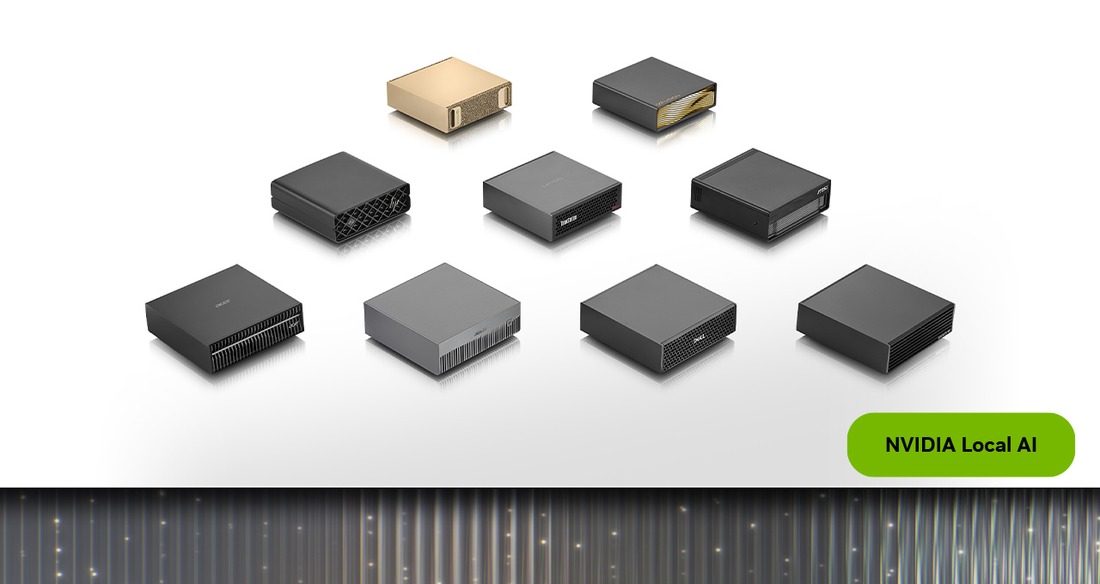
The announced base configuration
The new configuration keeps the GB10 Grace Blackwell Superchip, DGX OS and NVIDIA AI software stack, with 64GB of unified memory. It is coming through Acer, ASUS, Dell, Gigabyte, HP and MSI. That is the announced starting point; the final partner SKU still matters.
| Item | What is established today |
|---|---|
| Memory | 64GB unified system memory; applications and the operating system share the overall budget. |
| Platform | GB10, DGX OS and NVIDIA AI software stack. |
| Availability | October 23 planned OEM launch; not yet reached as of this article. |
| Storage and support | Check the actual partner listing. The launch article does not establish one SSD capacity or warranty for every $4,999 configuration. |
The DGX Spark product page and hardware guide still include specifications for the existing 128GB platform. I would not copy its 4TB storage option or 273GB/s memory bandwidth into a shopping comparison for an unconfirmed 64GB OEM SKU. Get the precise memory, SSD and support details from the machine you can actually order.
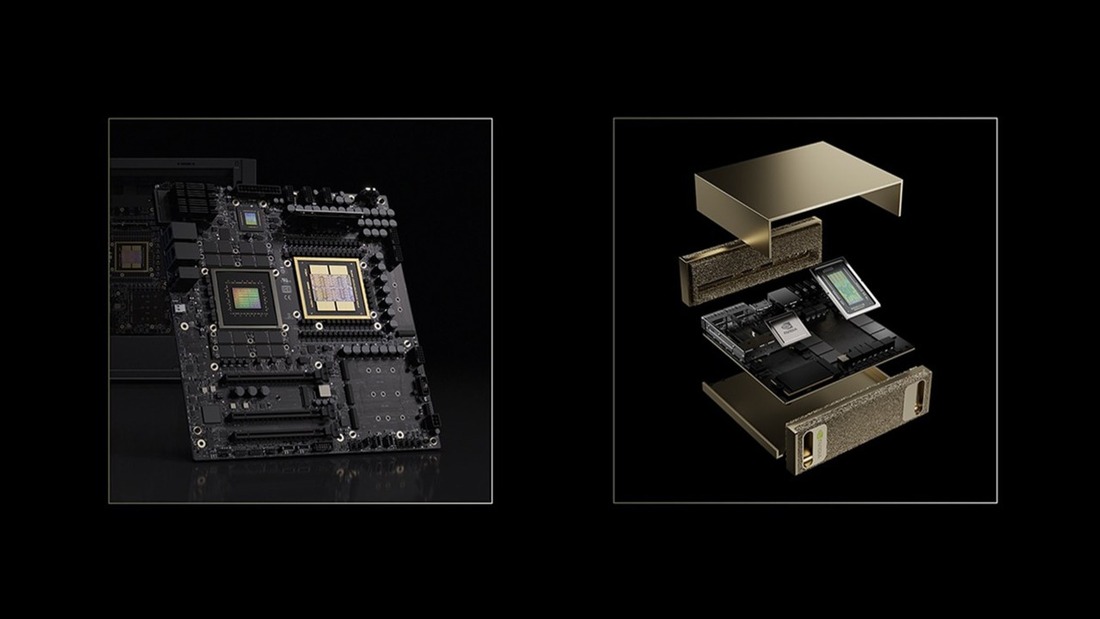
This is also a DGX Spark purchase. NVIDIA’s separately announced RTX Spark Windows PCs are a different product line. Anyone expecting a familiar Windows desktop should check the operating system and application support before treating the names as interchangeable.
Weights and cache within 64GB
NVIDIA advertises support for models up to 100 billion parameters on one 64GB system. I read that as a configuration-dependent vendor claim. At 16 bits per weight, a hypothetical 100B model needs 200GB for raw weight values alone. The parameter headline therefore cannot be a promise to load every 100B model at any precision.
Weight quantization can reduce the storage requirement. For a simple uniform 4-bit calculation, 27B parameters take 13.5GB, 70B take 35GB and 100B take 50GB. Those are decimal GB, calculated as parameter count × 4 ÷ 8. Real formats add scales and metadata, and some tensors may remain at higher precision.
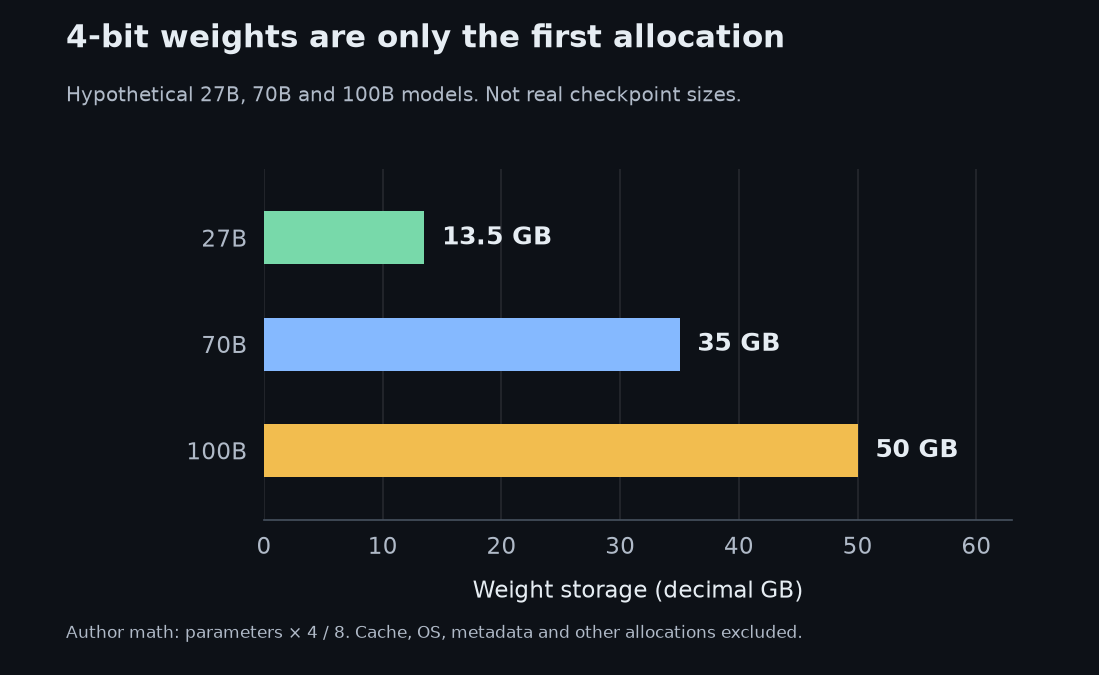
The remaining memory is where a coding agent can become demanding. Repository excerpts, tool results and the conversation history can create long prompts. For conventional full-attention models, keeping more tokens cached and serving more independent requests increases the KV cache allocation. Loading the weights is only the first step.
To show the effect, I used an explicitly hypothetical 70B reference architecture: 80 layers, eight KV heads per layer, a head dimension of 128, and a two-byte FP16 or BF16 cache value. These are chosen inputs, not specifications for Qwen3.8 or every 70B model. The per-layer key and value tensor shapes give 2 × 80 × 8 × 128 × 2 = 327,680 bytes per cached token per independent sequence.
At 8,192 cached tokens, one sequence takes 2.5GiB of cache. At 32,768 tokens, it takes 10GiB; two independent sequences take 20GiB and four take 40GiB. Here, cached length includes the prompt and generated tokens retained so far. Adding the hypothetical 70B raw 4-bit weights gives the following totals.
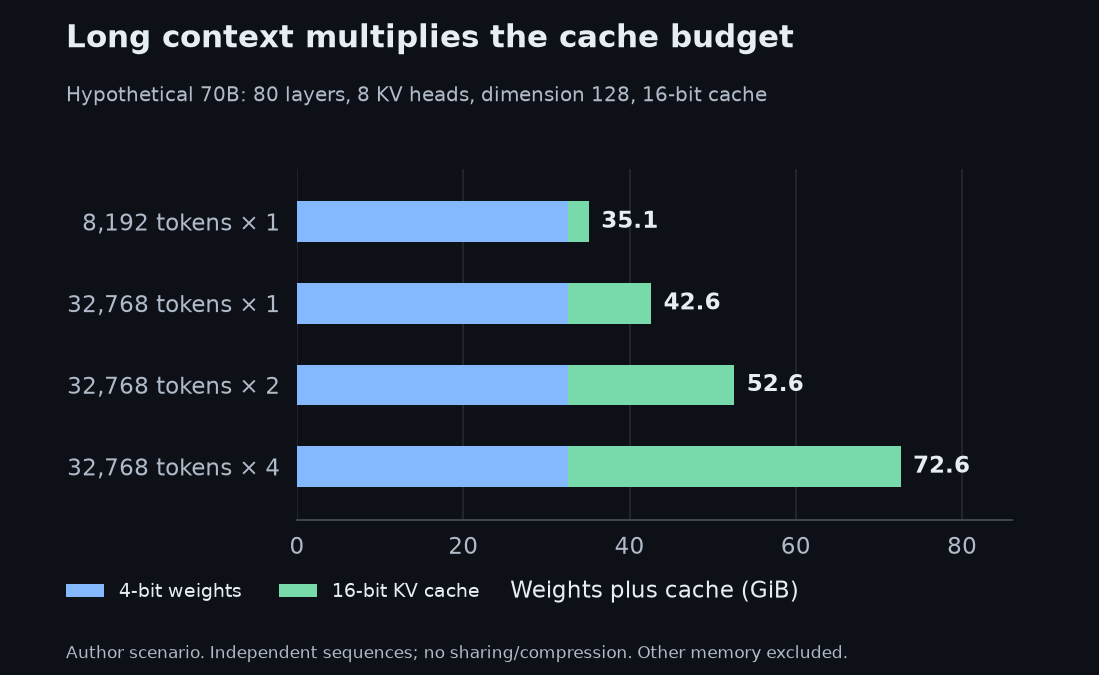
The last row already exceeds a 64GB-class budget before the operating system or runtime is included. The earlier rows are not guaranteed fits. Cache strategies differ: sliding windows, cache quantization, prefix sharing or other architectures can change the result. This illustration is a reason to measure your actual workload, rather than a memory requirement for a named model.
Check units as well: 1GB is one billion bytes, while 1GiB is 2³⁰ bytes. The example deliberately does not assume how many usable bytes an OEM exposes to inference. I made a related distinction in the Beam memory analysis: an attractive model headline can leave out the allocation that becomes the buying constraint.
Pricing a two-unit upgrade
The current NVIDIA US marketplace listing shows its 128GB, 4TB DGX Spark at $6,950 and out of stock. Two upcoming OEM 64GB systems at the announced starting price add up to $9,998, before any cable, shipping or tax. That is $3,048 above the listed 128GB machine.
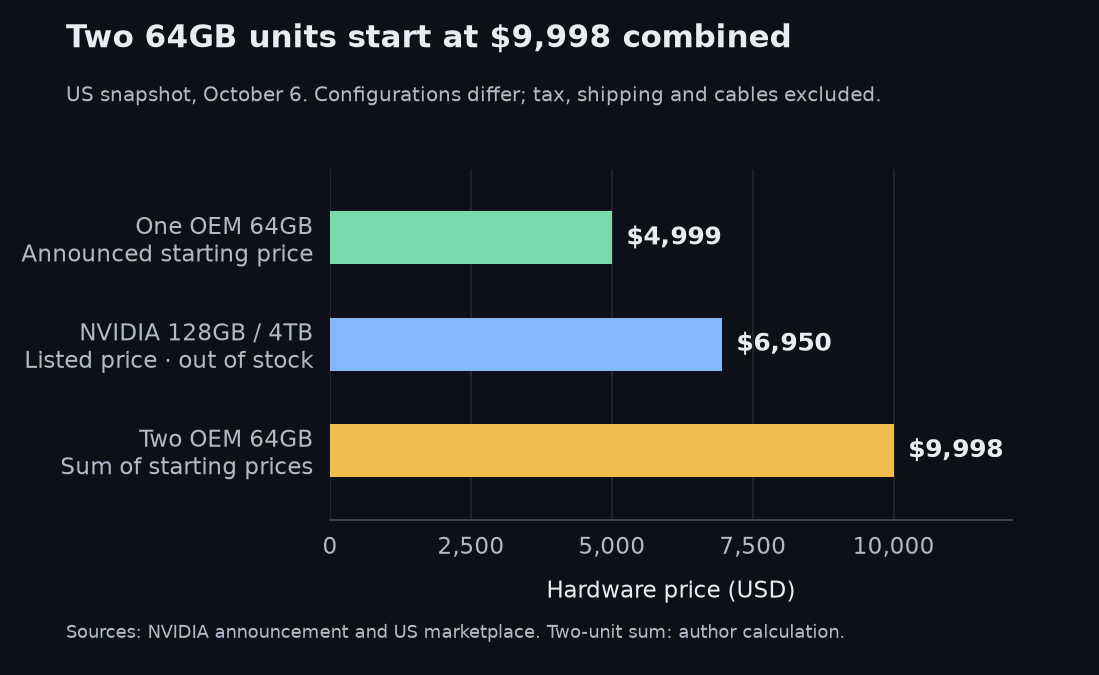
This is not a matched performance comparison. The 128GB listing is unavailable, and the 64GB entry price does not establish equivalent storage or warranty. Still, the arithmetic is useful: if capacity is the reason for buying, a second 64GB box deserves comparison with a current, obtainable 128GB quote.
NVIDIA’s Sync Cluster Assistant handles cluster networking, and the clustering guide describes the ConnectX-7 connection. The combined memory resides across two computers. A compatible distributed inference setup has to use it; connecting the cable does not give every ordinary single-node program one larger local memory bank.
The assistant documentation calls for a supported QSFP112 DAC, 400GbE, Ethernet-mode-only cable and checks for a 200Gbit/s link. That link rating is not measured application throughput. I would follow the documented cable requirements and test the intended framework, model and workload before relying on a cluster as an upgrade plan.
NVIDIA reports up to 1.7× performance for two 64GB systems in its Qwen3.8 27B test. That is a vendor result for one described model, with insufficient detail in the announcement to turn it into a universal latency prediction. Two systems can add capacity and compute; they do not promise twice the speed for every request.
Workloads that justify the NVIDIA stack
I see a plausible buyer in a developer who needs a compact NVIDIA environment for recurring work. If the intended model, context and concurrency fit, the machine could host inference while the everyday laptop remains available for editing, browsing and other applications. The benefit needs to show up in a real workflow.
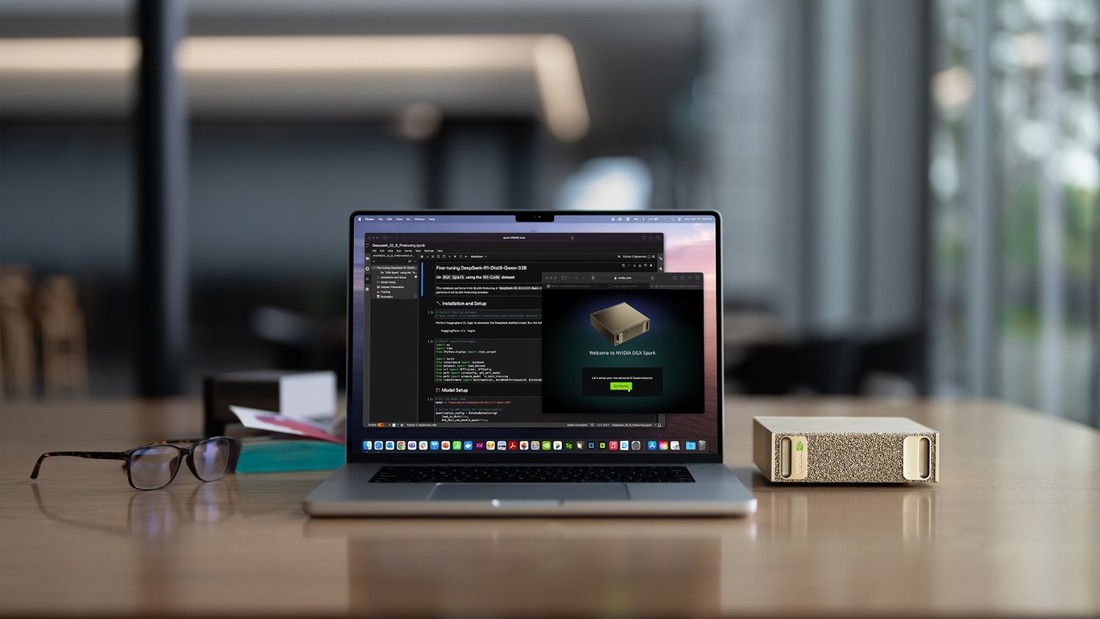
NVIDIA Sync supports access from Windows, macOS and Ubuntu clients. That makes the separate model-server role relevant to someone happy with their current computer. It is the reason I would evaluate this box as an addition to a development setup, rather than assume it must replace the desktop.
My buying test would use the exact intended model and quantization, a representative prompt with tool history, and the number of simultaneous requests I need. I would ask for peak memory, time to first token, generation speed and completed-task time. A short chat demo cannot establish how a long-running coding agent behaves.
For someone who mainly wants occasional local chat, I would first try a suitable model on the computer they already own. For someone whose work is routinely constrained by memory, I would get a current 128GB quote and compare other machines against the same workload. My local AI machine value comparison is a starting point; its older price snapshots need updating before a purchase.
The 64GB configuration lowers the announced entry price compared with the 128GB machine’s US listing at the time of this analysis. That is relevant to a developer who needs this software environment and has measured a workload that fits. Capacity alone does not make the choice.
Write down the model, cache budget and partner SKU before relying on “up to 100B.” If 128GB is already a requirement, price it directly. The $9,998 two-box path needs a distributed workload that benefits from two machines, not just a larger number on the memory line.
Comments
Post a Comment