Kimi K3.1 Pro: A 3D File Still Has to Fit
AGENTS & WORKFLOWS
Kimi K3.1 Pro: A 3D File Still Has to Fit
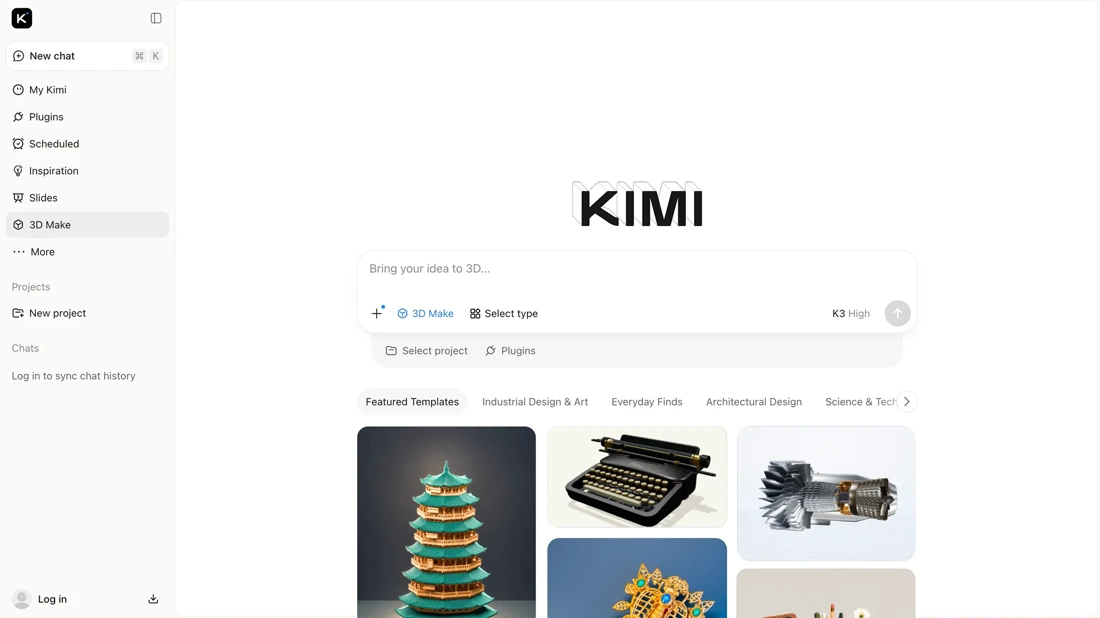
A downloadable 3D model gives you something to inspect, alter and print. It does not tell you whether two holes are the right distance apart. Kimi K3.1 Pro's 3D Make is most interesting at that boundary between a convincing shape and a usable part.
In this article
Kimi K3.1 Pro is available through Kimi’s services, while full weights are promised by November 4. Its 3D Make feature offers online previews, editing and downloadable models. That is enough to make the release worth investigating. It does not establish that a replacement bracket will fit. Moonshot’s launch post supplies the product claims; the dimensional example below is my own calculation.
I have not generated and physically printed a Kimi file for this article. This is an assessment of the launch evidence and a concrete way to test its most useful promise.
What would make an AI-generated 3D model useful?
For a decorative object, the first question might be whether the silhouette looks right. For a part that mates with something else, I care about the hole spacing, dimensions and whether I can change them without rebuilding the object. Those are different acceptance tests, even when both objects look excellent in a browser.
Moonshot’s examples include a modular lamp and scenes built with 3D tools. Its description of parametric modeling is the interesting bit: dimensions can become named values in code, rather than guesses buried in a finished mesh. I would want to see the editable source as well as the preview. The official demonstrations show the intended workflow, not my success rate.
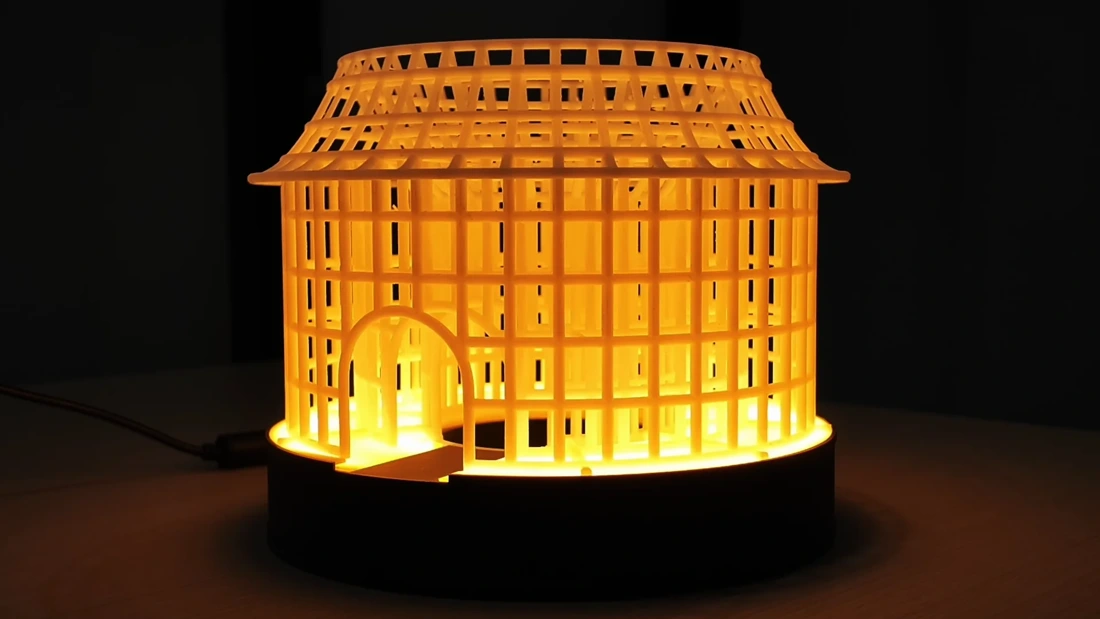
The distinction matters for the kind of full-color desktop printing covered here before. A good-looking object is a reasonable starting point for an ornament. A functional enclosure needs a much more specific brief. I would write down the critical dimensions before asking the model to make anything, so I cannot quietly move the goalposts afterward.
What does the 92.7 BenchCAD result actually measure?
Moonshot reports a 92.7 BenchCAD Vision2Code score with tools, versus 72.8 without tools. Its footnote describes a 1,000-case subset at maximum reasoning effort. The tool-assisted run uses a Claude Code harness; the other is single-shot generation. That is a 19.9-point difference, not a 19.9 percent improvement. Results and evaluation conditions.
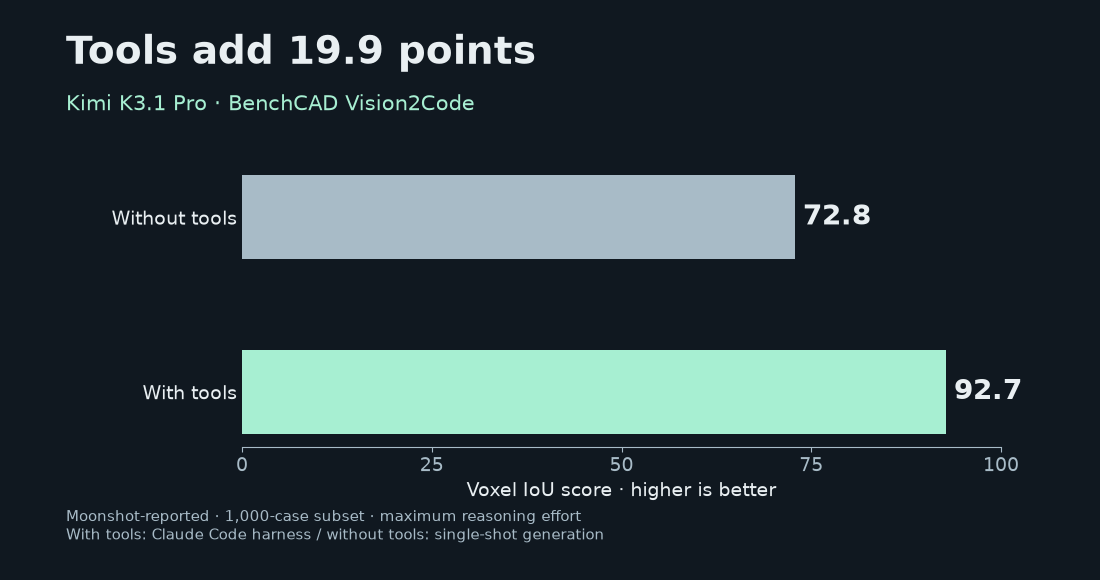
BenchCAD’s Vision2Code documentation describes rendered part views as the input and CadQuery code as the output. It evaluates executed geometry using voxel intersection-over-union. That is a meaningful test of whether a model can reconstruct a solid, rather than merely describe one convincingly.
The documented scorer normalizes geometry and uses a 64³ voxel grid. I would read that as evidence about reconstructed shape. I would keep a separate dimensional report for anything intended to fit an existing object. It would be a mistake to turn a mean overlap score into a claim that the same percentage of household parts will print correctly.
The gap also makes the surrounding software worth paying attention to. An agent that can run code and inspect results gets opportunities to repair its work. A chat box that returns one script has fewer opportunities. I would record the client, tools and reasoning setting alongside any result, rather than treating the model name as a complete description of the experiment.
How can a shape look right and still be 0.5 mm wrong?
Here is a deliberately simple calculation. Take two solid, concentric, axis-aligned cubes. One has a 20.0 mm edge. The other has a 20.5 mm edge. In their shared physical coordinate system, the smaller cube sits entirely inside the larger one.
Their continuous-volume intersection-over-union is 20³ / 20.5³ = 0.928599, or 92.86%. Yet every edge of the second cube is 0.5 mm too large, a 2.5% dimensional error. An overlap number can sound reassuring while the dimension you specified is plainly wrong.
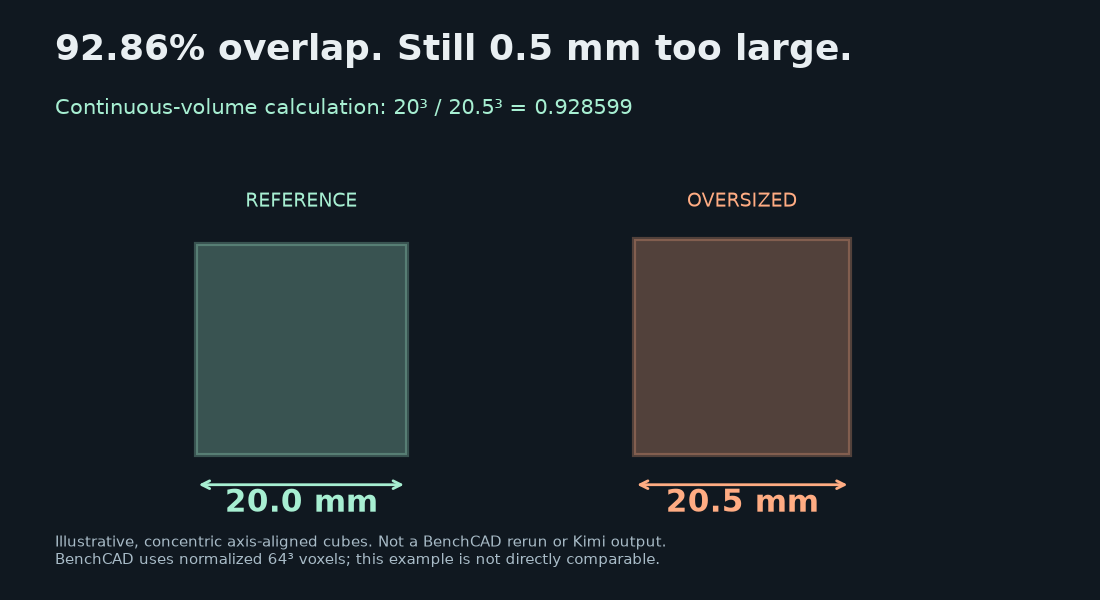
I am not claiming that Kimi makes this error, or that its 92.7 score corresponds to these cubes. BenchCAD’s normalization and voxelization make a direct numerical comparison inappropriate. The example is a reason to ask a second question after looking at any geometry score: does the exported file preserve the dimensions I requested?
That second question is easy to lose when a result is visually impressive. A lamp cover can survive a small scale change aesthetically. A cover around an existing connector has a separate fit requirement. The intended use decides what needs measuring; the launch leaderboard cannot decide that for us.
What would I check before the first print?
I would start with a calibration cube, then a small part with a measurable mating feature. The first brief would specify a 20.00 mm cube, millimeter units and an editable source. For that file-only exercise, I would choose an edge acceptance range of 19.95–20.05 mm. That range is my test criterion, not a statement about any printer’s capability.
For the functional part, I would supply measured dimensions and state which surfaces must fit. I would ask for the source script and a neutral CAD export where the toolchain supports them. The launch does not establish every export format offered by the 3D Make interface, so I would check the actual download choices before committing to that workflow.
Then I would inspect the exported geometry independently. Does the bounding box match the brief? Is the intended solid closed? Can I alter the named dimension and rebuild it? In the slicer, I would inspect walls, orientation and the layer preview. The purpose is to find a bad assumption while it is still a file.
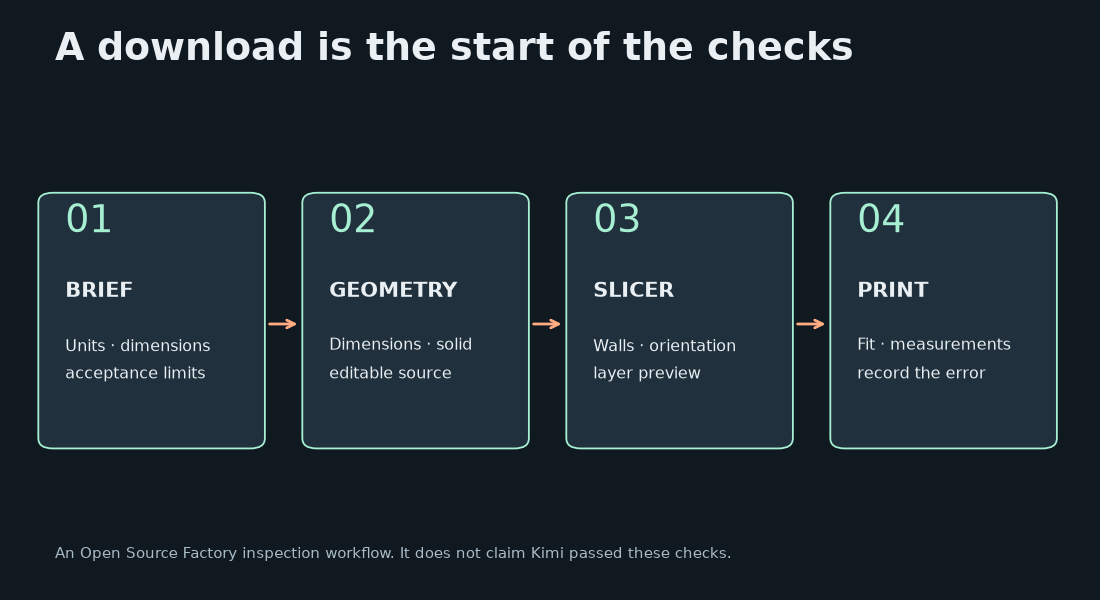
I would save both the first result and any repaired version. If it needs several rounds of guidance, that effort belongs in the result. After printing, I would record the measured dimensions and fit separately from the digital model’s dimensions. Otherwise model errors and the printing process get bundled into one vague verdict.
Which version can I use today?
The Kimi Code changelog dates its rollout to October 23. The research index dates the technical post October 24. Those are separate publication milestones, which explains why both dates appear around this release.
| Route | Access documented on October 24 |
|---|---|
| Kimi Code Plus / legacy Moderato | K3.1 Pro access; up to 256K context at this tier |
| Kimi Code Pro / legacy Allegretto and above | Up to 1M context; Highspeed available |
| Full downloadable weights | Promised by November 4, 2026; future release commitment |
The model configuration page describes K3.1 Pro as a 3T-class model with thinking required. It lists Highspeed at approximately two to three times the output speed and about twice the quota usage. I would use the regular version for a first file-quality comparison, then see whether faster output changes the time spent correcting it.
There is a small arithmetic trap here. For an otherwise identical request that consumes exactly twice the quota, a fixed allowance buys half as many runs. If output generation alone becomes two to three times faster, that segment takes one-half to one-third as long. Neither calculation tells us the total time to an accepted part, which also includes tool execution, inspection and repair.
Downloadable weights are a different question from being able to use the hosted service today. The checks I would make after release are the actual license, available files and supported runtimes. The Muse Spark Open hardware analysis is a reminder to connect a model download with a realistic serving setup before planning a local workflow.
Measure the exported part
I would try Kimi K3.1 Pro first on an object with a clear, measurable brief. The appeal is the possibility of moving from an idea to editable geometry without spending the whole afternoon creating the first draft. The strongest demonstration would be a small part whose dimensions survive a revision, export and print.
The release gives me enough reason to run that experiment. It has not supplied the result of it. When the full weights arrive, or a reproducible file-to-print test becomes available, those are the things I would check next: what was generated, what needed fixing, and whether the finished part actually fit.
Written, calculated, illustrated and originally scored by Open Source Factory. Checked October 24, 2026. Official interface and demo imagery: Moonshot AI. No author-run physical print test; vendor results and original illustrative calculations are labeled separately.
Comments
Post a Comment