SolidCraft: Resize the Part, Then Check the Holes
SolidCraft: Resize the Part, Then Check the Holes
The bracket got wider. Its mounting holes stayed put. That was the most useful result of my SolidCraft test: changing a parameter rebuilt the body cleanly, while the hole layout kept exactly the coordinates I had given it.
SolidCraft can produce an editable CAD design through an AI agent, and the result can survive a dimension change. The quality of that change still depends on the relationships the design records. For this article, I used the native MCP server in v0.24.1 to build a bracket, widen it from 60 to 80 mm, inspect its geometry, and export it. I did not print the part or test its fit under a load.
What does SolidCraft give an AI agent?
SolidCraft is a free, open-source parametric CAD application written in Rust. It has desktop and browser versions, a command-line tool, and an MCP server. You can use the ordinary editor without AI. When an agent connects, it can create sketches, run solid-modeling operations, change parameters, inspect bodies, and export files through the same command system.
That last detail matters. A sequence such as sketch → extrude → cut leaves a design history that you can inspect and revise. The useful question is whether that history captures the dimensions and constraints you care about when the next edit arrives.
The application is offered under MIT or Apache-2.0, at your option. A connected AI service has its own access terms and costs. Local geometry processing does not make a remote assistant free or change how that assistant handles the prompts you send it. Project README · MCP documentation.
The test: one bracket, one width change
I downloaded the official Windows x64 portable v0.24.1 release and checked its archive against the published SHA-256 list. This version was released on October 27, 2026. The homepage still advertised an older release when I checked, so the release tag is the version reference throughout this article.
The starting point was the project’s bracket example. I kept its L-shaped profile, two 8 mm holes, and parameter names, while omitting its decorative fillet to make the result easier to check. The profile spans 40 mm in one direction and 30 mm in the other, with 6 mm material thickness; its extrusion width starts at 60 mm. Hole centres sit 15 and 45 mm from one end.
I sent the modeling commands as an explicit MCP batch, then used the server’s measurement, save, screenshot, and export tools. This was a small test of the CAD command path. It was not a benchmark of how often a model turns an ambiguous natural-language prompt into a correct engineering design. Upstream example · Pinned release.
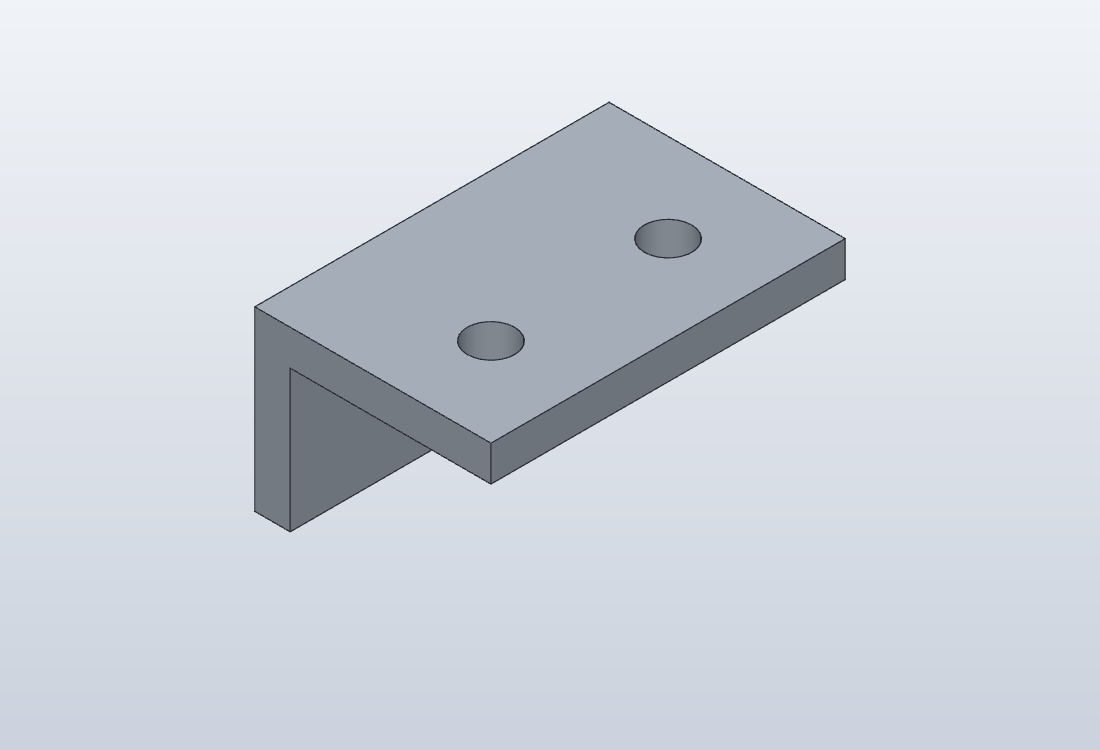
What happened when 60 became 80?
The command set_parameter changed width to 80 mm. The server reported three recomputed features and no parameter errors. Its measured bounding box changed from 40 × 60 × 30 mm to 40 × 80 × 30 mm. Both versions were reported as closed bodies.
| What changed | 60 mm design | 80 mm design |
|---|---|---|
| Measured bounding box | 40 × 60 × 30 mm | 40 × 80 × 30 mm |
| Closed body | Yes | Yes |
| Hole diameter | 8 mm | 8 mm |
| Hole centres from the same end | 15 and 45 mm | 15 and 45 mm |
| Far end to second hole centre | 15 mm | 35 mm |
| Reported CAD volume | 22,436.9 mm³ | 30,116.9 mm³ |
The unchanged holes are expected from this script: their centres are literal coordinates. The extrusion width has a parameter; the hole layout has no rule telling it to keep a 15 mm margin at the far end. SolidCraft followed those instructions.
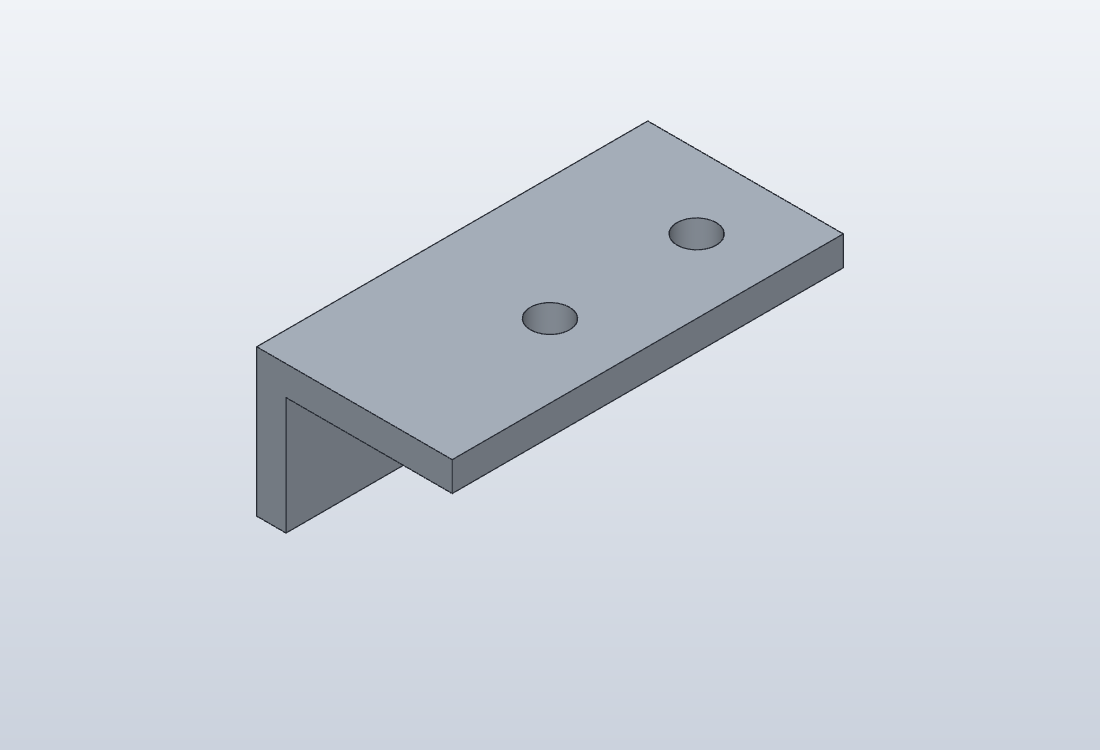
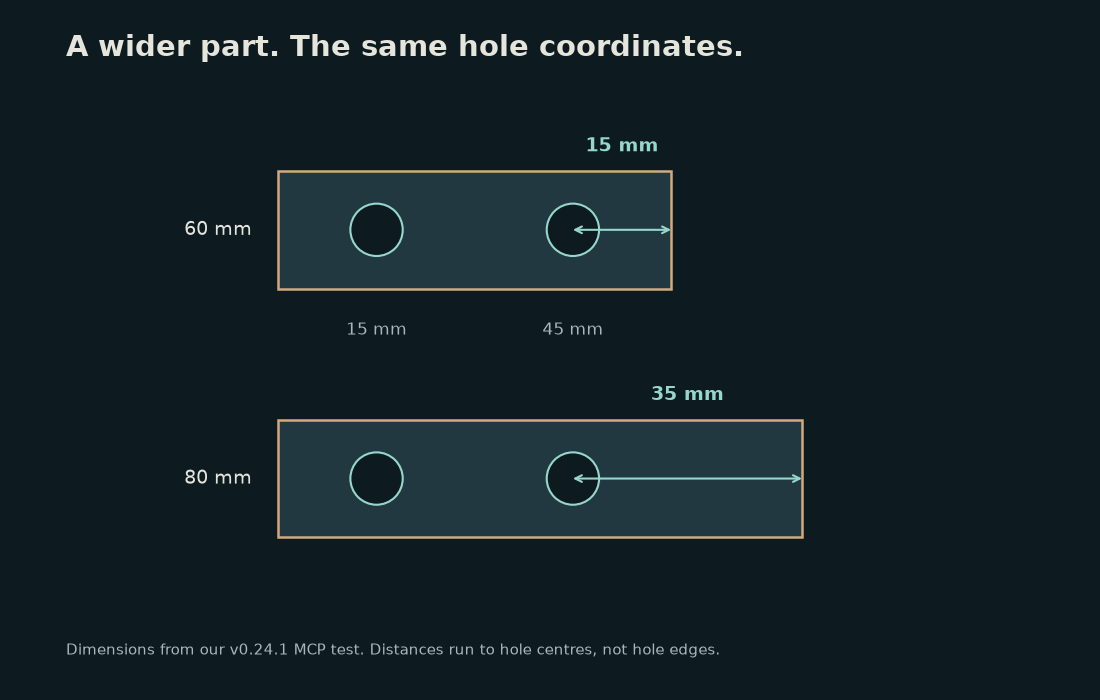
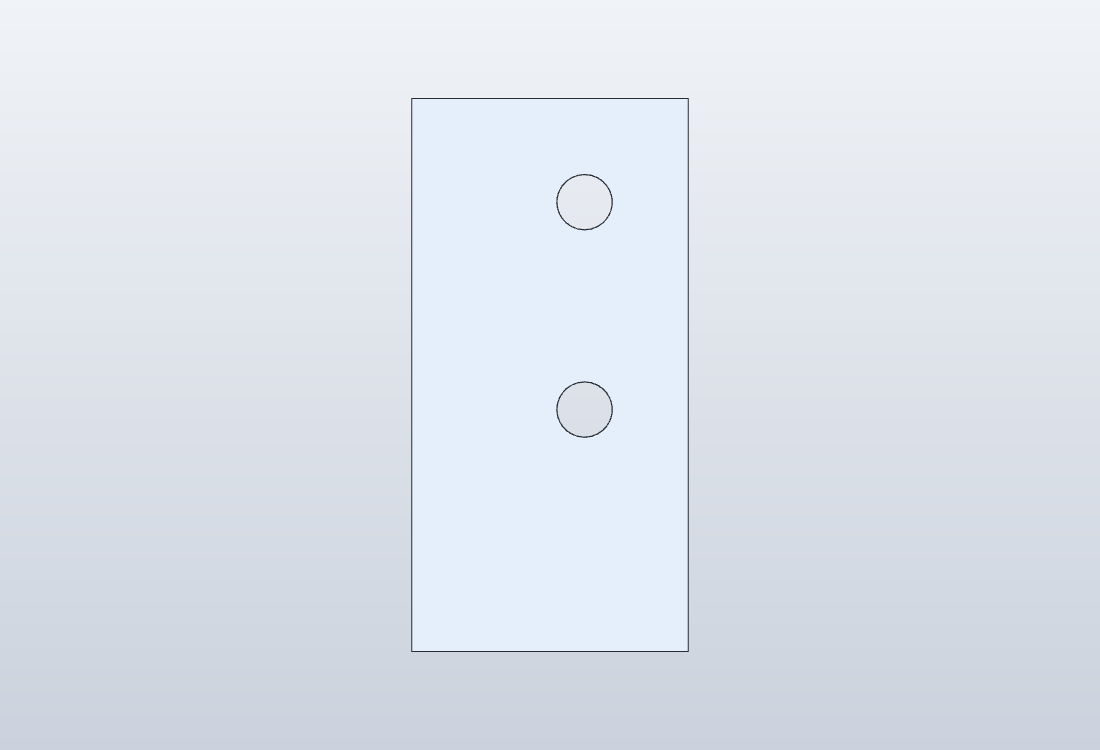
This gives the AI workflow a practical review step. Ask the agent to preserve the mounting pattern’s intended relationship, then inspect or measure that relationship after the edit. A request such as “keep each outer hole centre 15 mm from its nearest end” defines a different design from two fixed centre coordinates. The agent needs to encode that relationship in the model.
Can the result move into a printing workflow?
Both design sizes exported successfully as STEP, binary STL, and 3MF. I also saved the native .solidcraft designs. Reopening the 80 mm STEP file preserved the measured 40 × 80 × 30 mm bounding box and returned a closed body. Its reported volume was 30,116.88 mm³, close to the native result of 30,116.91 mm³.
An independent mesh check with trimesh reported that the 80 mm STL was watertight and consistently wound, with 1,044 triangles and the expected bounding-box dimensions. The 3MF archives declared millimetres as their unit. These checks support the file handoff; they do not measure printed tolerances, screw clearance, strength, or a slicer’s final toolpath.
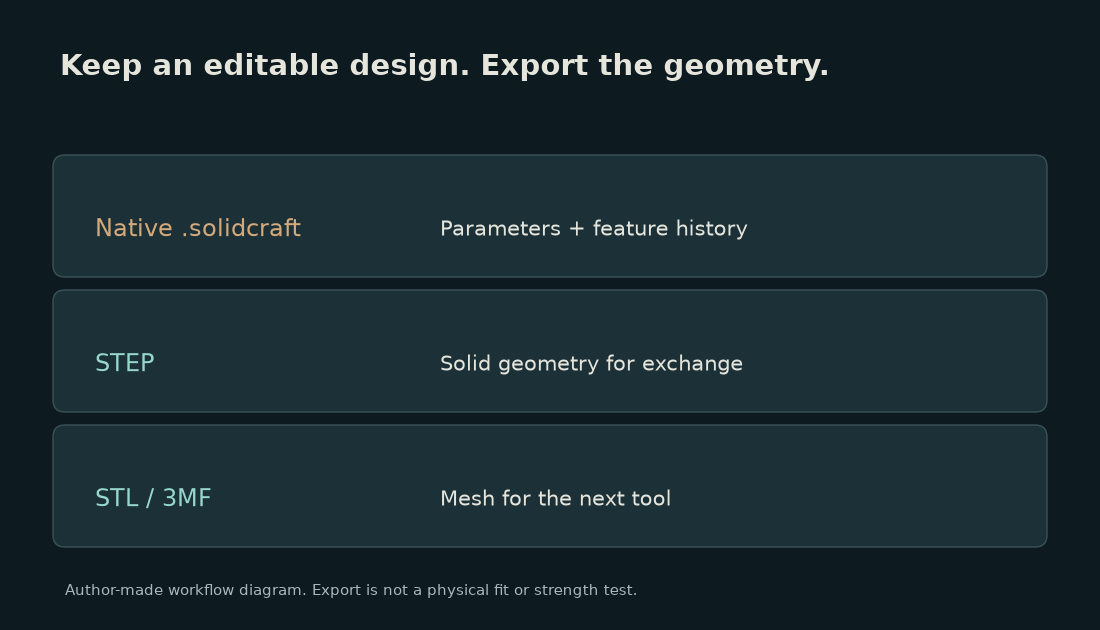
v0.24.1 also adds “Send to Slicer” for selected bodies, according to its release notes. I verified the file exports here, rather than invoking an installed slicer or running a printer. A real job still needs material, orientation, supports, clearance, and slicer settings chosen for that job. Release notes.
Download the reproducible test files: both native designs, STEP/STL/3MF exports, the starting command script, and a short reproduction guide. The dimensions are an inspection exercise, not a rated mounting-bracket specification.
Which rough edges matter before trying it?
Save a copy before moving an important design to a newer release. v0.24.1 writes design format 40; v0.24.0 and earlier refuse files saved in that format. That is a concrete compatibility boundary, even for a project that ships quickly.
The roadmap is useful context, but individual release notes are more current for a newly landed feature. For example, the roadmap’s October 25 snapshot still describes slicer handoff as work in review; the October 27 release notes list it as shipped. Other areas, including the broader drawings and manufacturing toolsets, remain work in progress. The project also describes its SMLib kernel migration as unfinished. Versioned roadmap.
My bracket gives SolidCraft a narrower, useful recommendation: try it on simple parts whose dimensions you can independently check. Inspect the feature history, measure what changed, and keep the native design. A successful small example does not establish the reliability of a large assembly or a complicated imported model.
My take
The second edit is the reason I would try SolidCraft. An agent can build through the CAD command system, inspect the resulting body, and leave behind a design that can be opened and changed again. That is a useful starting point for small workshop parts.
The 60 → 80 mm test also shows what I would review first: which dimensions are parameters, which coordinates are fixed, and which relationships actually survive the requested edit. I would make those checks before spending time on a photorealistic preview.
If you came from the earlier Kimi K3.1 Pro 3D-file article, this is a good next question: what can you deliberately change in the resulting file? For the physical stage, the HeyGears G1 article looks at the printer and package choices that come after the model.
Sources and test files
Official v0.24.1 release · README and licence · MCP command interface · Bracket example · Versioned roadmap · Author test files
Original article, measurements, diagrams, motion graphics, music and sound design: Open Source Factory. SolidCraft model renders are from our own v0.24.1 session; the example is adapted from the project’s licensed bracket script. No physical print or fit test was performed.
Comments
Post a Comment